 Matt Aitken
d7c79ee651
Matt Aitken
d7c79ee651
* New API keys page working

* Added EnvironmentVariable and EnvironmentVariableValue tables

* Environment variables presenter and repository started

* Icon now accepts a ReactNode as well

* The create form is working

* Improvements to validation

* Getting all the environment variables is working

* Editing an env var working

* Fix for deleting a value from an env var

* Separate route for adding new env vars. Works with “Save and add another”

* Editing is working properly, and revealing all values

* Deleting env vars

* Get environment variables with the environment id

* Added th env vars count to the Environment variables page

* Removed the commented out old Env & API keys side menu item

* Fix imports in ClipboardField

* Added a storybook page for all the variants of input fields

* Upgraded Tailwind for the :has selector

* Fix for the edit button not filling the width

* Reworked the input fields so they work with a variable width icon on the left

* Improvements to the new env var modal

* Improve the style of the edit environment variable panel

* Fix for when Input is type=“text”

* Icon now works with FunctionComponents and ComponentTypes properly

* Removed a console log

* Removed unused imports

* Use a const schema for SecretValue

* Added friendlyId to EnvironmentVariable


About Trigger.dev
Create long-running jobs directly in your codebase with features like API integrations, webhooks, scheduling and delays.
Long running Jobs on serverless
Reliably run jobs and don’t worry about function timeouts, we handle those for you.
- Auto-resume after a function timeout
- Auto-resume after a server outage
- Add delays of up to a year
In your codebase
Create Jobs where they belong: in your codebase. Version control, localhost, test, review, and deploy like you're already used to.
Secure by design
We only receive Triggers and the data you choose to send to us. You can even completely self-host the entire platform.
Don't worry about deployment
Just use our SDK to write Jobs in your codebase. There's nothing extra to deploy and no CI to configure, your Jobs just connect to our cloud. Or you can always self-host.
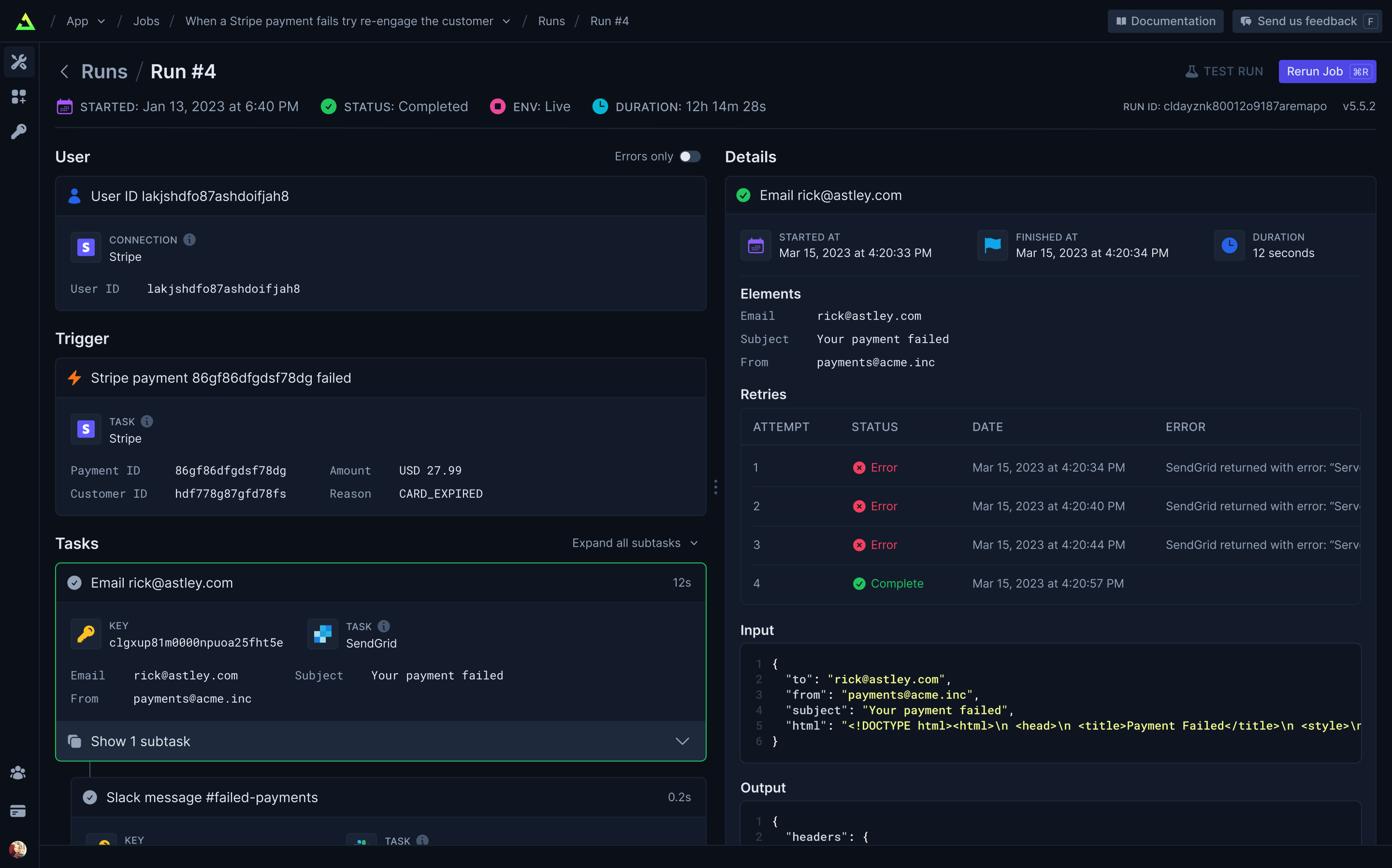
Full visibility of every job run
View every Task in every Run so you can tell exactly what happened.
Built-in integrations
Easily integrate with hundreds of third-party APIs – including your own. Use API keys (which never leave your server) or let us handle OAuth for you. Install our integration packages and easily subscribe to webhooks and perform common tasks, or you can easily use your existing favorite Node.JS SDKs and get resumability and idempotency through our runTask function.
Our progress
We’re building the most comprehensive and easy-to-use background jobs framework for developers.
Click the links to join the discussions about our upcoming features.
| Feature | What it does | Status |
|---|---|---|
| Integration kit | Official Trigger.dev integrations or build your own | ✅ |
| Self-hosting | Host the platform yourself | ✅ |
| Cloud | Just write code, no deployment required | ✅ |
| Dashboard | View every Task in every Run | ✅ |
| Serverless | Long-running Jobs on your serverless backend | ✅ |
| React hooks | Easily update your UI with Job progress | ✅ |
| React frameworks | Support for Remix, Astro, RedwoodJS & more | ✅ |
| Background tasks | Offload long or intense Tasks to our infrastructure | 🛠️ |
| Long-running servers | Run Jobs on your long-running backend | 🛠️ |
| Polling Triggers | Subscribe to changes without webhooks | 🕝 |
| Vercel integration | Easy deploy and preview environment support | 🕝 |
| Streaming | Receive data from your Jobs in realtime | 🕝 |
| 100+ integrations | Comprehensive support for popular APIs | 🕝 |
| Trigger.dev Connect | Use integrations signed in as your users | 🕝 |
| File IO | Create Tasks that have file outputs | 🕝 |
Getting started
Visit our docs here.
Self-host
We provide an official trigger.dev docker image you can use to easily self-host the platform. We're working on more extensive guides but we currently provide a Fly.io example repository with instructions in the README for deploying and using a self-hosted instance of Trigger.dev on Fly.io.
Development
To setup and develop locally or contribute to the open source project, follow our development guide.