 James Ritchie
708ebbde14
James Ritchie
708ebbde14
* Don’t show the Ready To Run Job prompt if you have an Integration that needs attention

* Don’t highlight the row red or green

* Improvements to the contrast of the app sections and dividers

* Removed the Jobs page title as it’s duped info

* using the new border variable

* Sticky last table cell

* Improved the sticky last table cell

* Make any last cell in a table sticky by adding isSticky to it

* Added a dropdown menu to the menu table cell

* table rows can be marked as disabled by adding disabled

* Using the jobTestPath function for the test path

* tidy up imports

* Removed un-used props

* Removed the green badge variant

* Added a new status badge to the Runs table

* Clicking the gradient clicks the row

* Delete Job triggers a modal popup

* Added a large danger button type

* Added some modal styling and started adding data

* Added more styling and data to the delete job modal

* A table can now be given a full width prop

* Large danger button added to Storybook

* Danger button disabled state looks disabled now

* New active badge component to display in the table and logic for showing the env data

* Style updates to the dialog component

* active and job status badges can now have a small size

* Added a new named icon

* The Job page shows the Job status in the PageInfoRow

* Small badge style update

* Runs table has a sticky right cell

* Created a JobStatusTable component

* Added some placeholder help panel content for disabling a Job

* WIP creating a Settings page

* Added a delete button that triggers the delete modal – just need data hooking up

* Implemented deleting jobs from the dashboard

---------

Co-authored-by: Eric Allam <eallam@icloud.com>


About Trigger.dev
Create long-running jobs directly in your codebase with features like API integrations, webhooks, scheduling and delays.
Long running Jobs on serverless
Reliably run jobs and don’t worry about function timeouts, we handle those for you.
- Auto-resume after a function timeout
- Auto-resume after a server outage
- Add delays of up to a year
In your codebase
Create Jobs where they belong: in your codebase. Version control, localhost, test, review, and deploy like you're already used to.
Secure by design
We only receive Triggers and the data you choose to send to us. You can even completely self-host the entire platform.
Don't worry about deployment
Just use our SDK to write Jobs in your Next.js codebase. There's nothing extra to deploy and no CI to configure, your Jobs just connect to our cloud. Or you can always self-host.
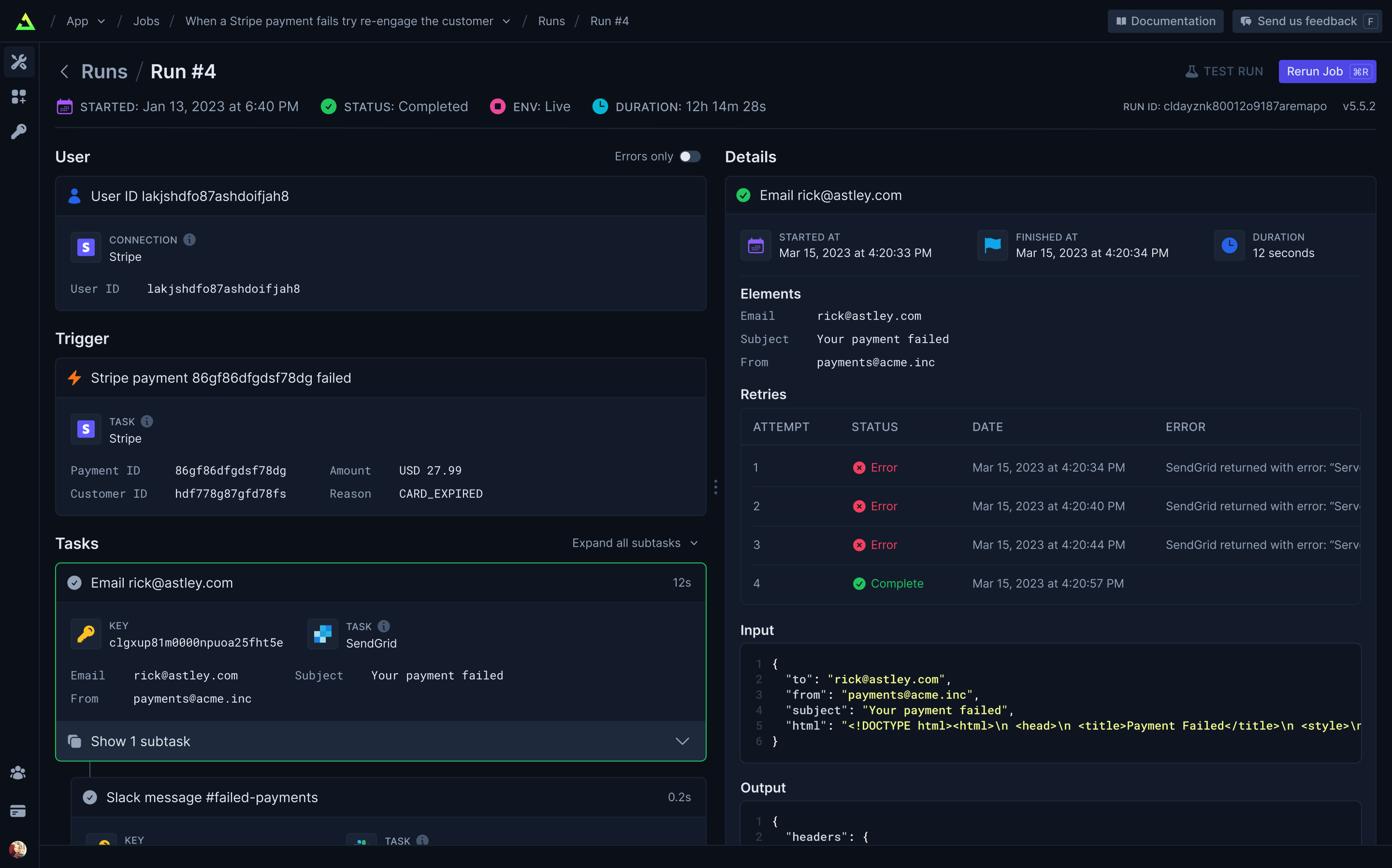
Full visibility of every job run
View every Task in every Run so you can tell exactly what happened.
Built-in integrations
Easily integrate with hundreds of third-party APIs – including your own. Use API keys (which never leave your server) or let us handle OAuth for you. Install our integration packages and easily subscribe to webhooks and perform common tasks, or you can easily use your existing favorite Node.JS SDKs and get resumability and idempotency through our runTask function.
Trigger.dev Connect (coming soon)
Easily add integrations for your users.
Getting started
Visit our docs here.
Self-host
We provide an official trigger.dev docker image you can use to easily self-host the platform. We're working on more extensive guides but we currently provide a Fly.io example repository with instructions in the README for deploying and using a self-hosted instance of Trigger.dev on Fly.io.
Development
To setup and develop locally or contribute to the open source project, follow our development guide.