 James Ritchie
645643ea41
James Ritchie
645643ea41
* Only show the Example Jobs list when you have 1 job

* Updated the logic for displaying the different information depending on the no. of jobs you have

* Removed some unnecessary markup

* Clicking on a radio option toggles the content

* Improved the centering of the help panel

* Conetent updates to the 2 onboarding paths

* Added a prompt so you click through to run your job

* More content updates to the help panel

* Only show the prompt if the Job has never been run

* Added back in the help panel which shows the examples table if you have > 0 jobs

* Added a dialog for the I am Stuck button

* Added the new ‘new-next-app’ text for the cli command

* Refactored the ternary logic so it’s simpler

* Removed I’m stuck button and cleaned up imports

* Added in feedback button

* Added margin bottom to the Callout on the Test popover

* WIP adding a new radio button variant that takes an icon

* Added a new step to create a new next app

* The state of the tabs is stored as a URL param

* Small shadow tweak to the side panel

* Added a Discord button to the feedback menu

* Added new icons to the Named icons component

* Added a gradient to the background of the jobs page

* Made the icons take on color outside of component

* Added another NamedIcon for tree

* Fixed number

* Improved some of the typography styles

* Updated the icons

* Fixed issue with radio buttons alignment

* Added a missing step to the new next app onboarding

* Refactored example code and added all the examples to the panel

* Small icon update

* Made the title white again

* Added an icon to the storybook radiogroup

* Added a badges storybook

* Chevron table cell now takes children

* import cleanup

* Changed the background image from an arbirary value to an import

* Added a NEW badge which shows if you have a new job

* Improved the copy on the Examples help panel and updated some of the layout

* Removed defaultOpen on the help panel

* Stop the icons getting smaller

---------

Co-authored-by: D-K-P <dkp.github@pm.me>


About Trigger.dev
Create long-running jobs directly in your codebase with features like API integrations, webhooks, scheduling and delays.
Long running Jobs on serverless
Reliably run jobs and don’t worry about function timeouts, we handle those for you.
- Auto-resume after a function timeout
- Auto-resume after a server outage
- Add delays of up to a year
In your codebase
Create Jobs where they belong: in your codebase. Version control, localhost, test, review, and deploy like you're already used to.
Secure by design
We only receive Triggers and the data you choose to send to us. You can even completely self-host the entire platform.
Don't worry about deployment
Just use our SDK to write Jobs in your Next.js codebase. There's nothing extra to deploy and no CI to configure, your Jobs just connect to our cloud. Or you can always self-host.
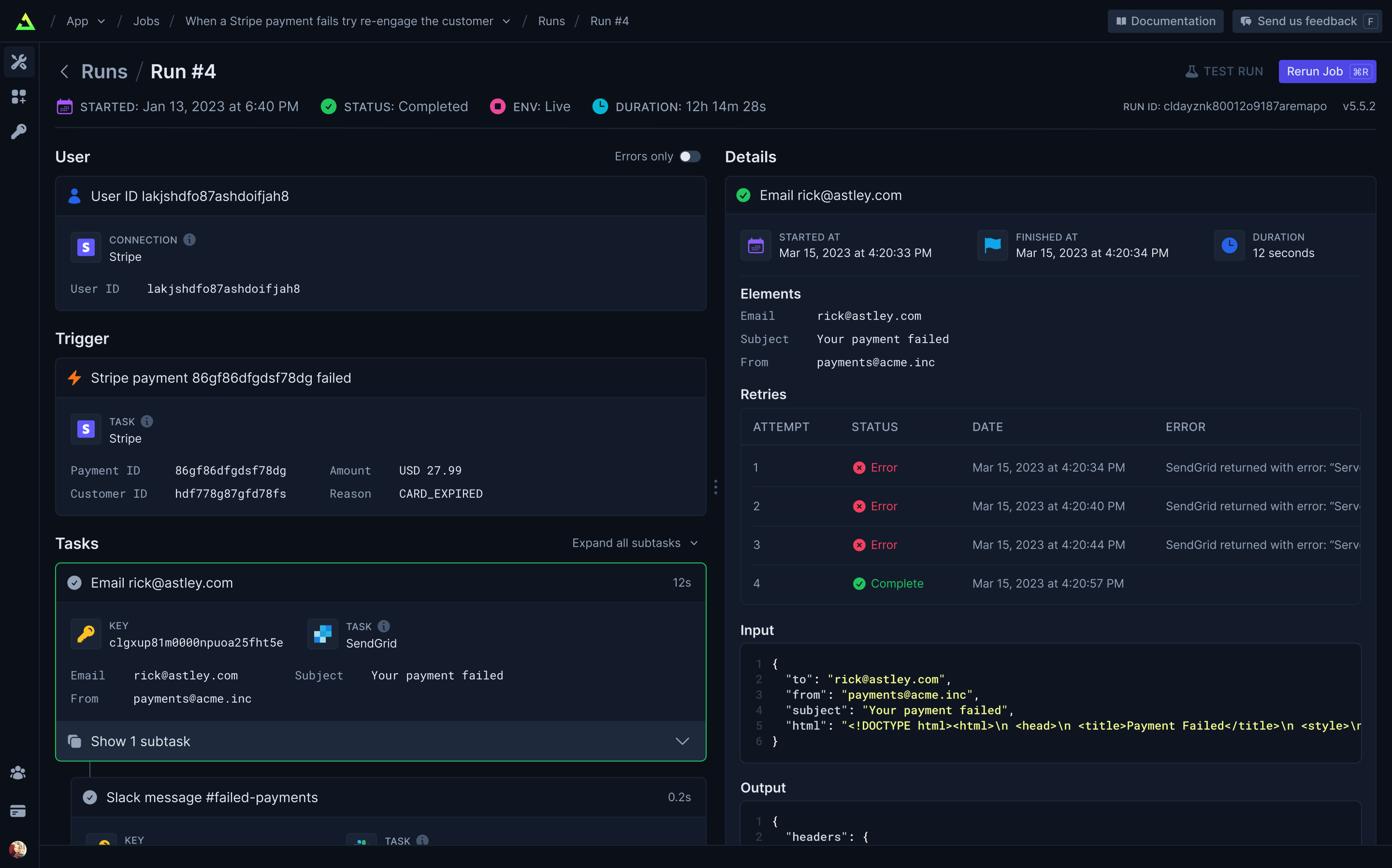
Full visibility of every job run
View every Task in every Run so you can tell exactly what happened.
Built-in integrations
Easily integrate with hundreds of third-party APIs – including your own. Use API keys (which never leave your server) or let us handle OAuth for you. Install our integration packages and easily subscribe to webhooks and perform common tasks, or you can easily use your existing favorite Node.JS SDKs and get resumability and idempotency through our runTask function.
Trigger.dev Connect (coming soon)
Easily add integrations for your users.
Getting started
Visit our docs here.
Self-host
We provide an official trigger.dev docker image you can use to easily self-host the platform. We're working on more extensive guides but we currently provide a Fly.io example repository with instructions in the README for deploying and using a self-hosted instance of Trigger.dev on Fly.io.
Development
To setup and develop locally or contribute to the open source project, follow our developement guide.