 Roger Barreto
18ceb182b1
Roger Barreto
18ceb182b1
* Read hosted chat history through a provider instead of the request input

The handler used to fetch the platform conversation history and prepend it to the
input of every turn. For a ChatClientAgent that runs in parallel with its own chat
history provider, so the conversation had two sources at once. It also had a hidden
cost: platform items carry no chat-history source marker, so the agent's provider
stored them again as if this turn had written them, leaving a second copy of the
conversation inside the persisted session that then diverges from the platform.

Make the chat history provider the single source for a ChatClientAgent:

- Add FoundryChatHistoryProvider, which reads the conversation through
  ResponseContext.GetHistoryAsync (it already resolves previous_response_id and the
  conversation the request belongs to) and stores nothing, because the platform
  persists the response items itself. An instance is created per request because it
  holds that request's context, and it is passed as a run-scoped override so the host
  does not have to mutate the agent.
- Register it only when the agent was created without a chat history provider. When
  one was supplied at construction, that provider owns the conversation and the
  platform history is not used at all.
- Stop adding the platform history to the input for a ChatClientAgent, since the
  provider now delivers it.

A workflow hosted as an agent is not a ChatClientAgent and has no provider pipeline,
so it keeps receiving the platform history from the handler exactly as before.

* Add regression tests for the duplicated hosted chat history

Cover the three symptoms the previous handler produced, each verified to fail when
the handler is reverted to fetching the platform history into the turn input:

- the conversation the service already keeps was copied into the persisted agent
  session by the default in-memory history provider;
- a custom history provider was asked to write that same conversation into its own
  database, because platform items carry no chat-history source marker and so look
  like content this turn produced;
- an agent with its own provider received both that provider's history and the
  platform's in a single request.

Also state precisely, in the provider's remarks, why nothing is written back: for a
stored request the response orchestrator hands the finished response to its responses
provider, which persists the input and output items that a later turn then reads back
through GetHistoryAsync; for a non-stored request nothing is persisted and nothing is
readable, so the request is self-contained either way.

* Keep unstored turns in the session so mixed conversations stay whole

A conversation can mix turns the service stores with turns it does not. History is
resolved from previous_response_id or the conversation regardless of the current
request's store flag, so an unstored turn still reads the stored ones back, but the
service records nothing for it and a later turn would never see it again.

Reading the platform history through FoundryChatHistoryProvider alone lost those
turns: from the second turn onwards the handler treats the session as a resume and
stops feeding history in, and the provider kept nothing of its own, so an unstored
turn simply vanished from the conversation. A regression test drives three turns of
one conversation, the first stored and the rest not, and without this change the
model receives only [second question, ok, third question]: the stored opening turn
is gone.

Give the provider both halves instead of choosing one:

- reading returns what the service serves, followed by the turns kept in the session,
  which are by definition later than anything the service recorded;
- writing keeps a turn only when the service was not asked to store it, so a stored
  turn is never duplicated and an unstored one is never lost.

The turns are held in the agent session under the provider's own state key, so they
travel with the session the host already persists.

* Refuse a stored turn once a conversation holds unstored ones

A conversation can move between stored and unstored turns, and the unstored ones live
only in the agent session. Going back to a stored turn after that would have the
service record it on top of turns the service never saw, so anyone reading the
conversation back from the service would find an answer with no question. Refuse it
before the model is called instead of writing that gap.

Cover the whole shape with a walkthrough of nine turns over one conversation and three
provider instances, each with its own session:

- an instance that never took an unstored turn starts from the turn the service last
  saved, and does not see another instance's unstored turns;
- an instance that did keeps reading the saved turns and adds its own on top;
- asking such an instance for a stored turn is refused, twice, while unstored turns
  keep working;
- a turn stored from one instance does not appear for another, because it sits on a
  different branch of the conversation and so is not among the turns leading to what
  that other instance last saved.

* Say plainly that kept turns belong to the session

The turns the service was not asked to store are written into the agent session's state
bag under this provider's own state key, and a new provider is built for every request,
so nothing is held on the provider object itself. The walkthrough named its three
threads after provider instances, which read as if the object carried the memory.

Name them after the sessions they are, and add a test that pins the behaviour down: a
turn kept through one provider object is read back by a different one given the same
session, and is absent for one given another session.

* Show which half of the conversation each provider decides

The session decides what is kept, but the provider still decides two things: which
service-side conversation is read, because it holds the request's response context, and
whether the turn is kept at all, because it holds the request's store flag.

Add two tests that separate those from the session:

- two providers reading one session, each built for a request of a different
  conversation, return the same kept turn behind different served turns;
- two providers writing to one session, one for a stored request and one for an
  unstored one, leave only the unstored turn behind.

* Say why a hosted workflow keeps taking history from the handler

The comment stated that a workflow hosted as an agent has no provider pipeline
without saying what that means. It derives from AIAgent directly, so it never calls
a ChatHistoryProvider and does not read the run options' additional properties: the
provider could not reach it even if it were registered.

* Ask the session store whether a turn is a resume

The handler decided that a turn was resuming an existing conversation by looking for
state on the session. That reading broke once the handler itself started writing to the
session before the check: it records the caller's identity there, so a session created
moments earlier already carried state and the very first turn of a conversation looked
like a resume. Its history was then never fetched, and the agent answered knowing
nothing of a conversation the service was already holding. It only showed up when
hosted, because running locally there is no identity to record.

Let the store answer the question instead. GetSessionAsync now returns null when nothing
is stored rather than quietly handing back a new session, so a non-null result means a
prior turn established this session and nothing else has to be inferred. Callers that
just want a usable session can use the new GetOrCreateSessionAsync, which is written in
terms of GetSessionAsync so a store overriding one gets the other for free.

Both store implementations and their tests follow the plain-lookup contract: a miss
creates nothing, deserializes nothing, and touches no directory.

* Drop the experimental marker from an internal type

FoundryChatHistoryProvider is internal, so the attribute reached no caller: the marker
exists to warn people consuming the public surface. It also does not follow from the base
type, which does not carry one, and most internal types in this package have none either.
Removing it leaves two usings behind, so they go as well.

* Stand down the agent's second-manager guard for the host's own provider

An agent refuses a second history manager once the model reports a conversation id of its
own, which happens as soon as the container lets the model keep the conversation. The
guard is meant for an application that configured a provider by hand and would otherwise
end up with two of them. Here the host is the one supplying the provider, deliberately and
for every turn, so the guard was rejecting the arrangement it is hosting: the first turn
failed while streaming, and every later one failed before reaching the model at all.

Turn the three conflict settings off on the agent the host is serving, and let the
provider decide what reaches the model. A test drives two turns of one conversation
against a model that reports a conversation id and asserts both complete.

* Pass a caller's request not to store on to the chat client

A request asking the hosting service not to store the response was honoured there and nowhere else, so the service behind the agent's own chat client kept recording the conversation and reporting an id for it. A caller opting out of storage still ended up with a stored conversation, and the container went on continuing it.

Only that direction travels. Carrying store=true across would either force storage on a container whose author turned it off on purpose or change nothing, since storing is already the default.

* Hand the conversation to the agent's own provider instead of a host one

The host no longer supplies a chat history provider of its own. It writes the turns the service holds into the provider the agent already created for itself, and only when that is the stock in-memory one, so an agent given a provider keeps sole control of its storage and the model receives the conversation once.

A conversation the caller stops asking the service to store moves into the session state and stays there. The session's conversation id no longer names anything the service records and cannot be cleared, so the session is cloned without it on that single turn. Asking for a stored turn afterwards is refused: the service would record a turn whose predecessors it does not hold.

An agent that does not read history through a provider, a hosted workflow for example, is still given its prior turns as input, now marked as chat history so no provider along the way stores them as new.

* Run the agent's own request factory instead of replacing it

ChatClientAgent chains a request's raw representation factory with the agent's by taking the agent's only when the request's returns null. The factory added for an unstored turn always answers, so anything the container configured on the agent's ChatOptions was silently dropped for that turn.

The agent's factory is now invoked first and its result is what carries the setting. A result that is not a CreateResponseOptions belongs to some other chat client, which has no notion of storing a response, so it is handed back untouched.

* Cover a stored conversation that stops being stored and asks again

The refusal was only tested on a conversation the service never stored. Reaching it from a stored one goes through the turn that rebuilds the session without its conversation id, so the mark saying the conversation left the service has to survive that rebuild to be found on the next turn.

* Leave the conversation to the AgentServer storage provider alone

The AgentServer SDK records a hosted turn through its own storage provider, around the handler, and serves the conversation back through ResponseContext.GetHistoryAsync. Anything the container stores of its own is a second conversation that storage provider never sees and no one reconciles.

The handler now takes that history as the single source and hands it to the agent as input alongside this turn's messages. The agent's own provider is replaced for the run by one holding its messages in a field, so a run that calls tools still has what its earlier calls produced while nothing survives the request. The service behind the agent's chat client is asked not to store on every turn, whatever the caller asked of the hosting service.

A session that still carries a conversation id means that service is recording a second conversation regardless, so the turn is refused with a 400 rather than run against something nobody can reconcile.

* Narrow the history skip to a resumed workflow

Withholding the conversation from every agent that is not a ChatClientAgent assumed they all carry it in their own session. A hand-written one that keeps nothing would answer with no history from its second turn on, so the check is now on the session type a workflow runs with, which is what actually accumulates the turns.

The conversation and previous response id tests went with it: the session key falls back to the partition of a freshly minted response id, which never has a session saved for it, so a loaded session already implies one of the two was sent.

Also asks a Chat Completions client not to store, since the setting carries the same name on both OpenAI request shapes.

* Add a live test that a hosted turn is not stored twice

The AgentServer SDK's storage provider records every hosted turn around the handler, and
that record is the conversation the caller reads. The agent's own run inside the container
talks to its own service, and when that service is asked to keep the turn it writes a
second copy of the same exchange, on a trail of its own that nobody reads and nobody
reconciles. The caller's conversation looks clean, so the second copy goes unnoticed.

The new downstream-store scenario runs an ordinary Foundry ChatClientAgent, like the first
hosted agent sample, wrapped so that after the run it appends DOWNSTREAM_ID=<id> to the
reply, carrying whatever its own run left behind. The tests then go looking for that id on
the service: finding it means a second copy exists.

Verified live against a Foundry project. On main both tests fail, reporting a readable id
such as resp_0940e276..., and here the container reports DOWNSTREAM_ID=none and both pass.

* Let the session carry the conversation in the downstream store test

The run options were setting the conversation on every call, which the session already does.
The single turn test now binds the session to the conversation up front, and the multi turn
test starts from the agent's own default session and reads back what the hosted agent kept
for the caller off ChatClientAgentSession once the first turn returns.

Re-verified live: still fails on main, reporting a readable id such as resp_0c07a5e4..., and
still passes here.

Welcome to Microsoft Agent Framework!




Microsoft Agent Framework (MAF) is an open, multi-language framework for building production-grade AI agents and multi-agent workflows in .NET and Python.
Microsoft Agent Framework is built for teams taking agents from prototype to production. It provides a consistent foundation for building, orchestrating, and operating agent systems across Python and .NET, while keeping architecture choices open as requirements evolve, and supports a broad ecosystem including Microsoft Foundry, Azure OpenAI, OpenAI, and the GitHub Copilot SDK, with samples and hosting patterns for both local development and cloud deployment.
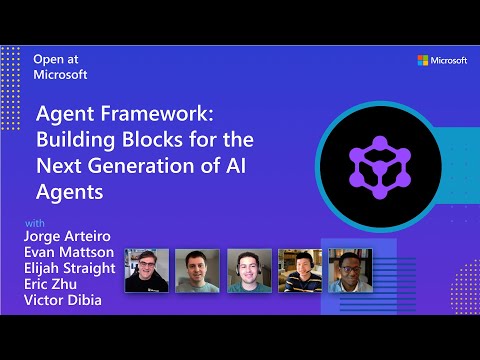
Watch the full Agent Framework introduction (30 min)
Is this the right framework for you?
MAF is a strong fit if you:
- are building agents and workflows you expect to run in production,
- need orchestration beyond a single prompt or stateless chat loop,
- want graph-based patterns such as sequential, concurrent, handoff, and group collaboration,
- care about durability, restartability, observability, governance, or human-in-the-loop control,
- need provider flexibility so your architecture can evolve without major rewrites.
Key Features
Explore new MAF capabilities and real implementation patterns on the official blog.
- Python and C#/.NET Support: Full framework support for both Python and C#/.NET implementations with consistent APIs
- Multiple Agent Provider Support: Support for various LLM providers with more being added continuously
- Middleware: Flexible middleware system for request/response processing, exception handling, and custom pipelines
- Orchestration Patterns & Workflows: Build multi-agent systems with graph-based workflows supporting sequential, concurrent, handoff, and group collaboration patterns; includes checkpointing, streaming, human-in-the-loop, and time-travel
- Foundry Hosted Agents (new): Deploy and host your agents to Foundry-hosted infrastructure with just 2 additional lines of code
- Observability: Built-in OpenTelemetry integration for distributed tracing, monitoring, and debugging
- Declarative Agents: Define agents using YAML for faster setup and versioning
- Agent Skills: Build domain-specific knowledge bases from multiple sources—files, inline code, class libraries—for agents to discover and use
- AF Labs: Experimental packages for cutting-edge features including benchmarking, reinforcement learning, and research initiatives
- DevUI: Interactive developer UI for agent development, testing, and debugging workflows
Table of Contents
Getting Started
Installation
Python
pip install agent-framework
# This will install all sub-packages, see `python/packages` for individual packages.
# It may take a minute on first install on Windows.
.NET
dotnet add package Microsoft.Agents.AI
# For Foundry integration (used in the .NET quickstart below):
dotnet add package Microsoft.Agents.AI.Foundry
dotnet add package Azure.AI.Projects
dotnet add package Azure.Identity
Learning Resources
- Overview - High level overview of the framework
- Quick Start - Get started with a simple agent
- Tutorials - Step by step tutorials
- User Guide - In-depth user guide for building agents and workflows
- Migration from Semantic Kernel - Guide to migrate from Semantic Kernel
- Migration from AutoGen - Guide to migrate from AutoGen
Quickstart
Basic Agent - Python
Create a simple Azure Responses Agent that writes a haiku about the Microsoft Agent Framework
# pip install agent-framework
# Use `az login` to authenticate with Azure CLI
import os
import asyncio
from agent_framework import Agent
from agent_framework.foundry import FoundryChatClient
from azure.identity import AzureCliCredential


async def main():
    # Initialize a chat agent with Microsoft Foundry
    # the endpoint, deployment name, and api version can be set via environment variables
    # or they can be passed in directly to the FoundryChatClient constructor
    agent = Agent(
      client=FoundryChatClient(
          credential=AzureCliCredential(),
          # project_endpoint=os.environ["FOUNDRY_PROJECT_ENDPOINT"],
          # model=os.environ["FOUNDRY_MODEL_DEPLOYMENT_NAME"],
      ),
      name="HaikuAgent",
      instructions="You are an upbeat assistant that writes beautifully.",
    )

    print(await agent.run("Write a haiku about Microsoft Agent Framework."))

if __name__ == "__main__":
    asyncio.run(main())
Basic Agent - .NET
Create a simple Agent, using Microsoft Foundry that writes a haiku about the Microsoft Agent Framework
// This sample shows how to create and run a basic agent with AIProjectClient.AsAIAgent(...).

using Azure.AI.Projects;
using Azure.Identity;
using Microsoft.Agents.AI;

string endpoint = Environment.GetEnvironmentVariable("AZURE_AI_PROJECT_ENDPOINT") ?? throw new InvalidOperationException("AZURE_AI_PROJECT_ENDPOINT is not set.");
string deploymentName = Environment.GetEnvironmentVariable("AZURE_AI_MODEL_DEPLOYMENT_NAME") ?? "gpt-5.4-mini";

AIAgent agent =
    new AIProjectClient(new Uri(endpoint), new DefaultAzureCredential())
    .AsAIAgent(model: deploymentName, instructions: "You are an upbeat assistant that writes beautifully.", name: "HaikuAgent");

// Once you have the agent, you can invoke it like any other AIAgent.
Console.WriteLine(await agent.RunAsync("Write a haiku about Microsoft Agent Framework."));
More Examples & Samples
Python
- Getting Started: progressive tutorial from hello-world to workflows
- Agent Concepts: deep-dive samples by topic (tools, middleware, providers, etc.)
- Workflows: workflow creation and integration with agents
- Hosting: A2A, self-hosted protocol helpers, and Foundry hosted agents. Durable Task and Azure Functions samples are in the Durable Agent Framework extension.
- End-to-End: full applications, evaluation, and demos
.NET
- Getting Started: progressive tutorial from hello agent to workflows
- Agent Concepts: basic agent creation and tool usage
- Agent Providers: samples showing different agent providers
- Workflows: advanced multi-agent patterns and workflow orchestration
- Hosting: A2A and Foundry hosted agents. Durable agent and workflow samples are in the Durable Agent Framework extension.
- End-to-End: full applications and demos
Community & Feedback
- Found a bug? File a GitHub issue to help us improve.
- Enjoying MAF?
to show your support and help others discover the project.
- Have questions? Join our Discord or visit weekly office hours.
Troubleshooting
Authentication
| Problem | Cause | Fix |
|---|---|---|
| Authentication errors when using Azure credentials | Not signed in to Azure CLI | Run az login before starting your app |
| API key errors | Wrong or missing API key | Verify the key and ensure it's for the correct resource/provider |
Tip:
DefaultAzureCredentialis convenient for development but in production, consider using a specific credential (e.g.,ManagedIdentityCredential) to avoid latency issues, unintended credential probing, and potential security risks from fallback mechanisms.
Environment Variables
For environment variable configuration specific to each sample, refer to the README in the sample directory (Python samples | .NET samples).
Contributor Resources
- Contributing Guide
- Code of Conduct
- Python Development Guide
- Design Documents
- Architectural Decision Records
Important Notes
Important
If you use Microsoft Agent Framework to build applications that operate with any third-party servers, agents, code, or non-Azure Direct models (“Third-Party Systems”), you do so at your own risk. Third-Party Systems are Non-Microsoft Products under the Microsoft Product Terms and are governed by their own third-party license terms. You are responsible for any usage and associated costs.
We recommend reviewing all data being shared with and received from Third-Party Systems and being cognizant of third-party practices for handling, sharing, retention and location of data. It is your responsibility to manage whether your data will flow outside of your organization’s Azure compliance and geographic boundaries and any related implications, and that appropriate permissions, boundaries and approvals are provisioned.
You are responsible for carefully reviewing and testing applications you build using Microsoft Agent Framework in the context of your specific use cases, and making all appropriate decisions and customizations. This includes implementing your own responsible AI mitigations such as metaprompt, content filters, or other safety systems, and ensuring your applications meet appropriate quality, reliability, security, and trustworthiness standards. See also: Transparency FAQ