 Gerardo Salazar
Updating Initial and Maintenance Margins
CME Group Exchange Futures (CME, CBOT, NYMEX, COMEX)
CME publishes advisories containing the initial and maintenance margins on its website under the category:
Clearing -> Performance Bond-Margins
You can read more about how initial and maintenance margins are used by CME by visiting the Performance Bonds/Margins FAQ page.
Please note: This tutorial only covers sourcing data starting from 2008 and going onwards.
To get started, visit the Notices page, and set the starting date to a few months before your desired start date or contract listing if it is a new contract.
In this tutorial, we will be updating the CL (NYMEX; Crude Oil) contract margins starting from 2008.
Let's begin by searching for Crude on the Notices page. CME includes the classes of futures affected by margin rate changes by commodity type, such as Natural Gas, Refined Products, Agriculture, Coal, Interest Rates, etc. By searching for the contract category, we can speed up the process in which we can source historical rates.
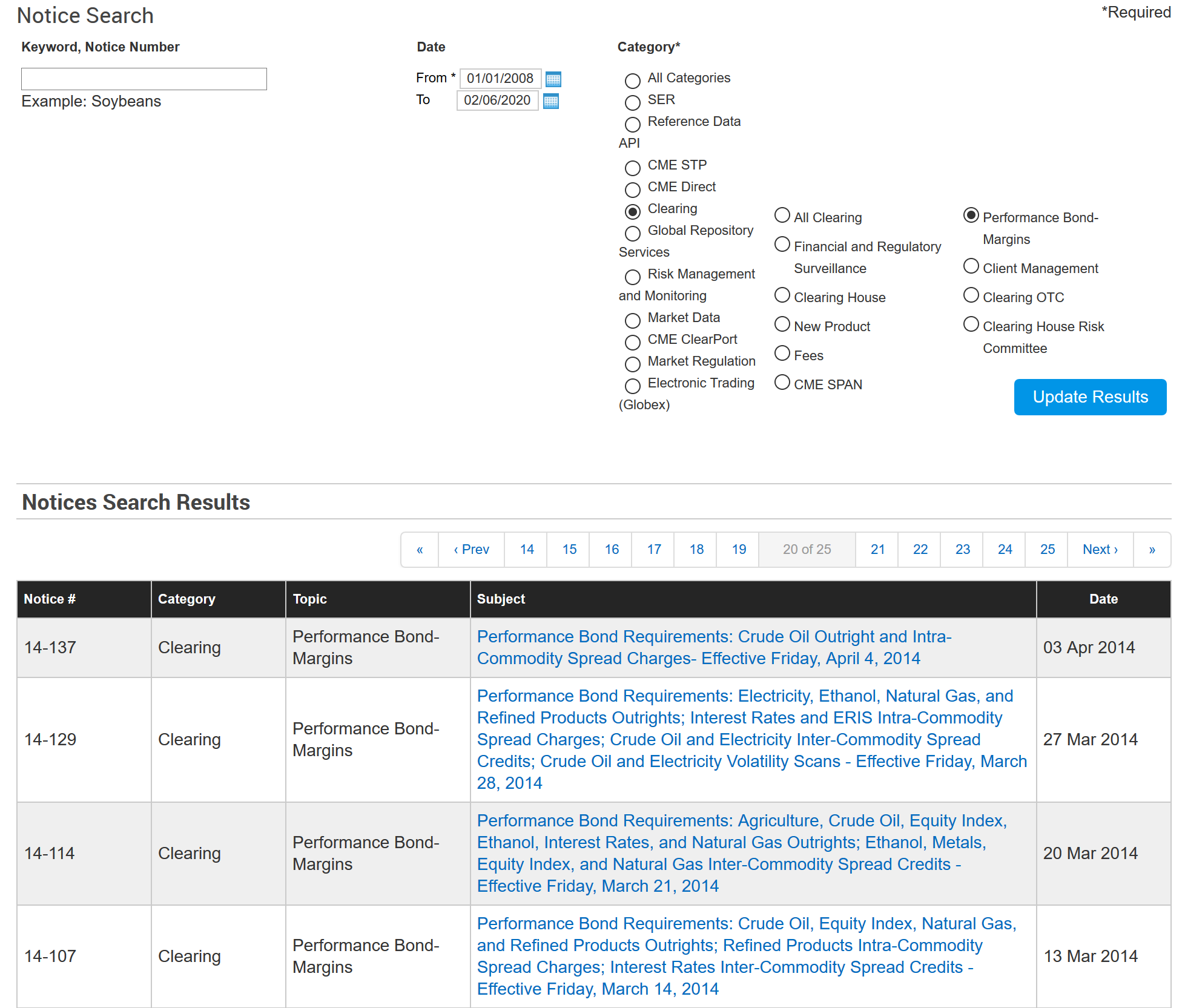
Note: If you are not getting results up until the current year, consider changing your search query to a more broad topic like Crude -> Energy. If that fails, consider omitting the search query and review each advisory for your ticker.
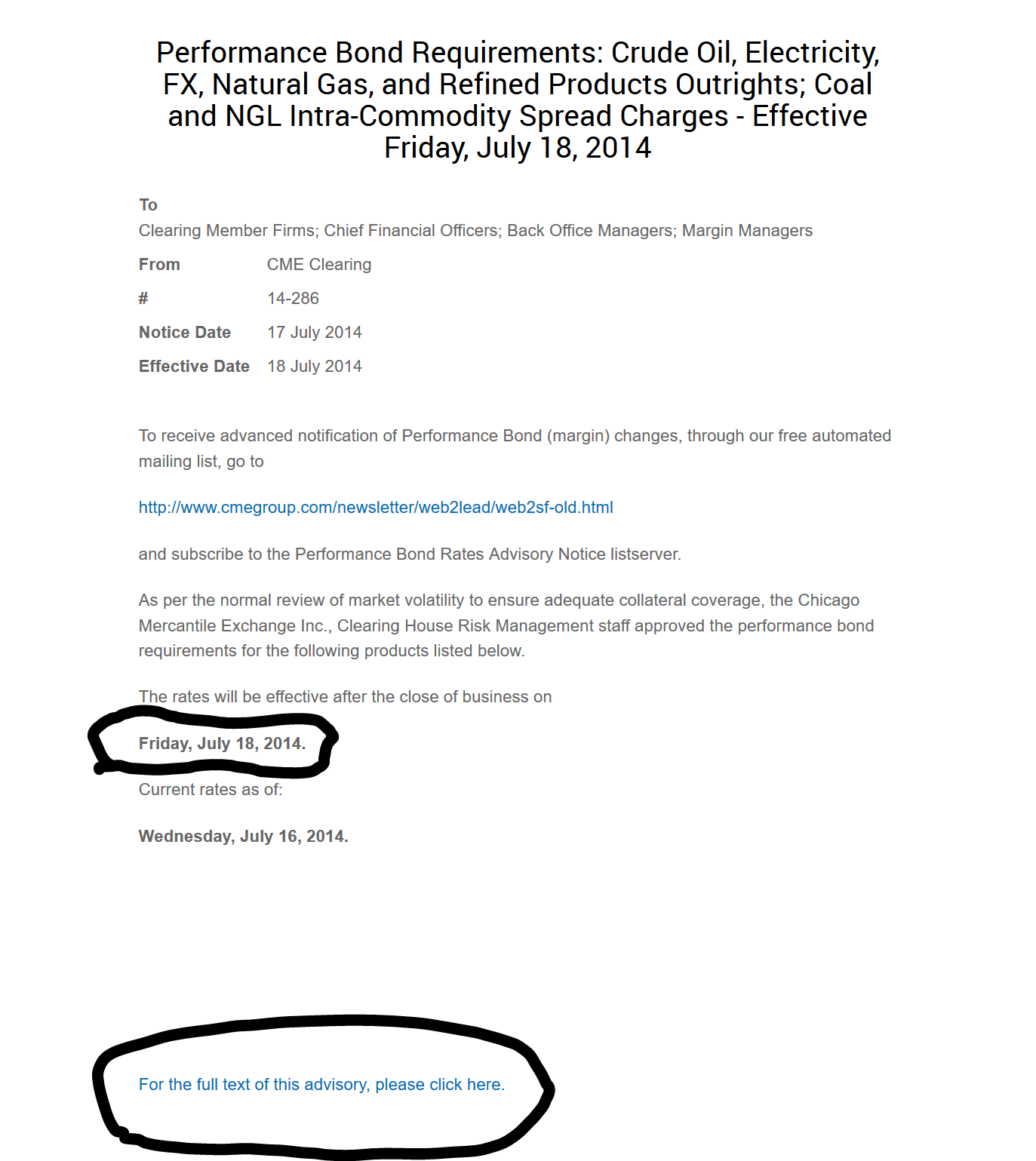
The report you want to be looking at is the Performance Bond Requirement Changes notice. Take note of the Effective Date, as that is the date you will want to input to the margin file. To view the margins, click on the text that says For the full text of this advisory, please click here.
CME provides two different types of advisories:
- Excel
Using PDF Advisories
A few notes before you begin:
- CME designates Summer as the months:
April - October - CME designates Winter as the months:
November - March - The front month is the contract closest to expiry
Mth 1, Mnth 1, or Month 1is the front month. Any subsequent increment in the month number is the month that comes after the front month.
To begin inputting information into the margin rate file, we must ensure the following. If any of the following steps result in failure, continue to the next advisory.
-
Begin by searching for your contract ticker surrounded in parenthesis, e.g.
(CL). -
Ensure that the contract is for
Outrights -
Ensure that the contract is not included as part of another contract. For example,
Crude Oil (CL) vs. WTI Houston (Argus) Financial (HIA)does not apply to theCLcontract. -
Ensure that the data for the contract has at least one
Specentry. (Note:Speccould potentially appear asSpeculation.) -
Find the entry that has
Month 1in the description. -
In the initial margin column of our CSV file, input the
new initial marginvalue from the PDF. -
In the maintenance margin column of our CSV file, input the
new maintenance marginvalue from the PDF.
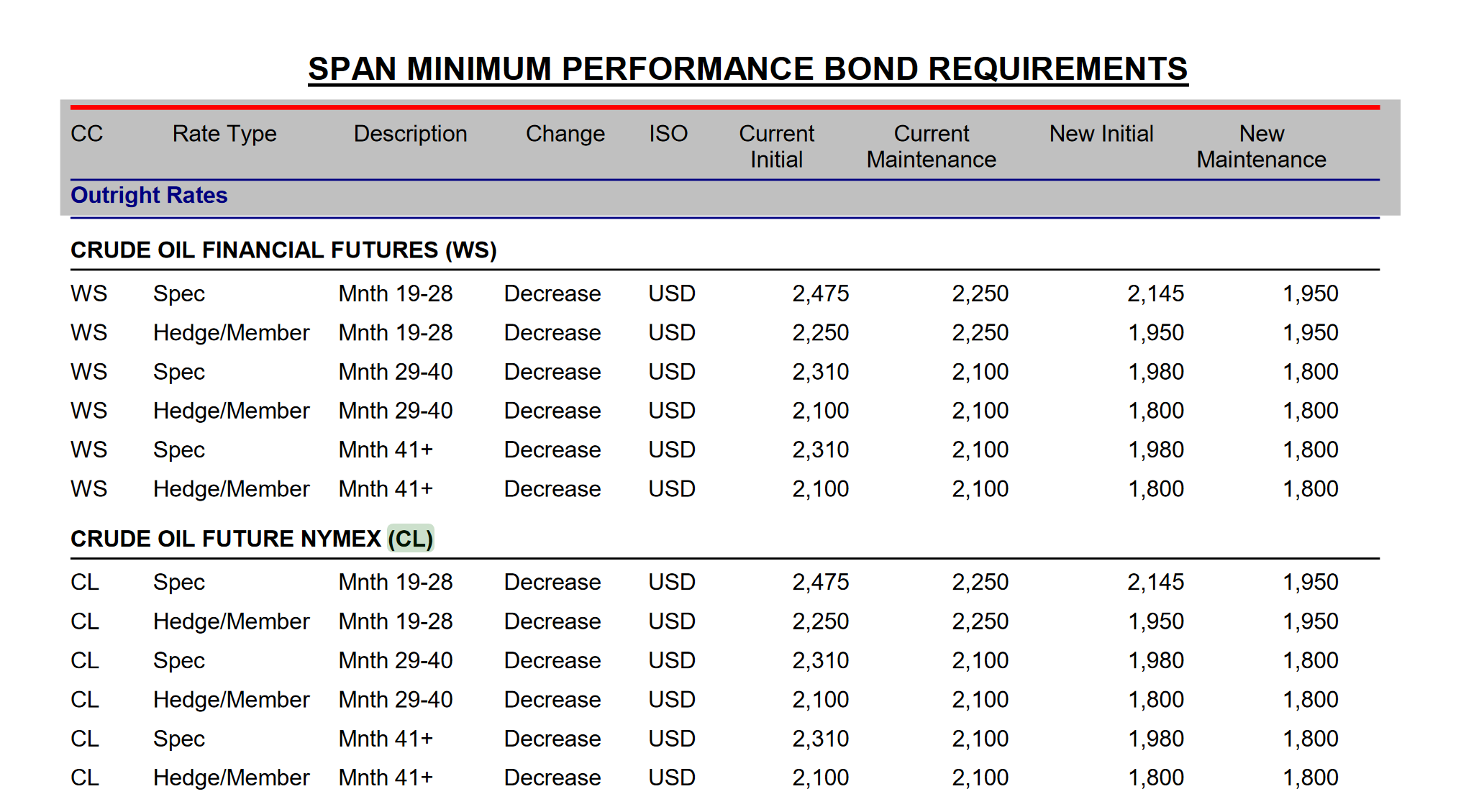
An example of an entry for CL found in the PDF advisory is shown below.
Using Excel Advisories
Prerequisites:
- Excel, LibreOffice, or Google Sheets
To begin inputting information into the margin rate file, we must ensure the following. If any of the following steps result in failure, continue to the next advisory.
-
Look for text mentioning the
initial marginand note it down. This should usually be110%. -
In the
Table of Contentstab, search for the ticker in theProduct Codecolumn of the table provided. -
Note down the
Combined Commodityvalue the product code has. -
Note down the
Scaling Factorof the productAn example entry for
CLon theTable of Contentstab is shown below.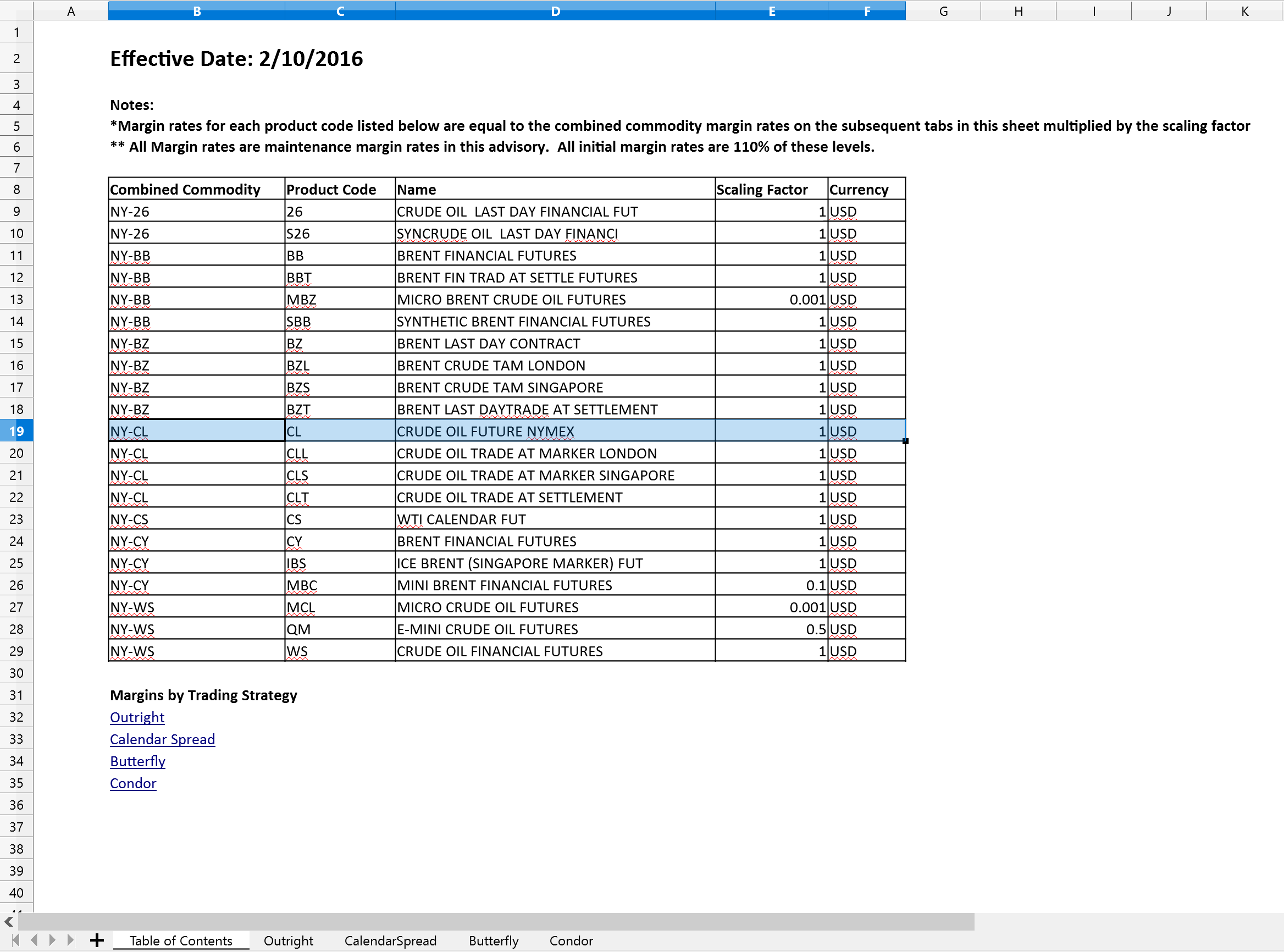
-
Change to the
Outrighttab of the spreadsheet. If there is noOutrighttab, continue to the next advisory.An example of the
Outrighttab entry is shown below.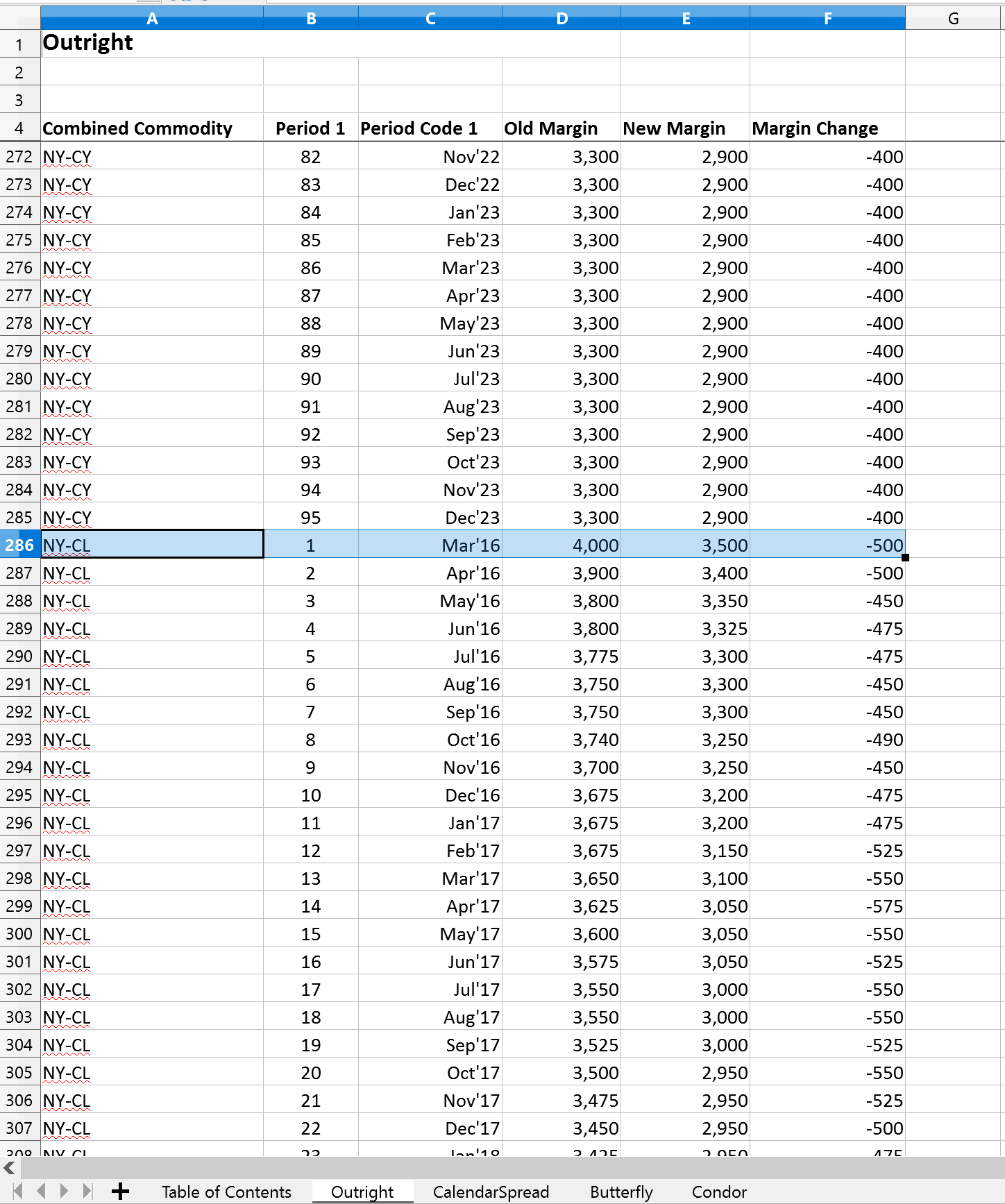
-
Find the first entry for
Combined Commoditymatching your product's value that you noted down. -
Write down the
New Marginmultiplied by theScaling Factorin themaintenance margincolumn in our CSV file. -
Write down the
New Marginmultiplied by theScaling Factormultiplied by theInitial Marginpercentage in theinitial margincolumn in our CSV file.