
2个月前

Quickstart · Templates · Docs · Youtube · Discord



Discover what Presenton can do from AI-powered presentation generation to editing, exporting, and flexible model providers.
No SaaS lock-in · No forced subscriptions · Full control over models and data
What makes Presenton different?
Tip
Star us! A ⭐ shows your support and encourages us to keep building! 😇

Create presentations from a prompt, an uploaded document, or your own PowerPoint design. Choose from built-in templates, bring your preferred AI provider and API key, polish manually with drag-edit interface and export a fully editable deck.


Browse in-built AI presentation templates for pitch decks, business reports, executive updates, educational presentations, and more. Preview each editable slide layout, choose a design, and use Presenton to generate fully editable PowerPoint (.pptx) or PDF presentations from a prompt or document.

Momentum Business Presentation Template — sales reports, strategy decks, and data storytelling Preview Momentum business template ↗ |

Dynamic Creative Presentation Template — proposals, visual stories, and high-impact decks Preview Dynamic presentation template ↗ |

Executive PowerPoint Template — leadership updates, strategic plans, and decision-ready reports Preview Executive PowerPoint template ↗ |

General Presentation Template — adaptable layouts for business, education, and everyday topics Preview General presentation template ↗ |

Modern Pitch Deck Template — contemporary slides for startups, products, and portfolios Preview Modern pitch deck template ↗ |

Standard Business Presentation Template — professional reports, proposals, and company decks Preview Standard business template ↗ |
Browse all free AI presentation templates → · Create an AI-ready PowerPoint template from your PPTX →
Create AI-powered presentations using your own model provider (BYOK) or run everything locally on your own machine for full control and data privacy.

Available Platforms
| Platform | Architecture | Package | Download |
|---|---|---|---|
| macOS | Apple Silicon / Intel | .dmg |
Download ↗ |
| Windows | x64 | .exe |
Download ↗ |
| Linux | x64 | .deb |
Download ↗ |
Deploy to Cloud Providers


Presenton gives you complete control over your AI presentation workflow. Choose your models, customize your experience, and keep your data private.
Run Presenton directly in your browser — no installation, no setup required. Start creating presentations instantly from anywhere.

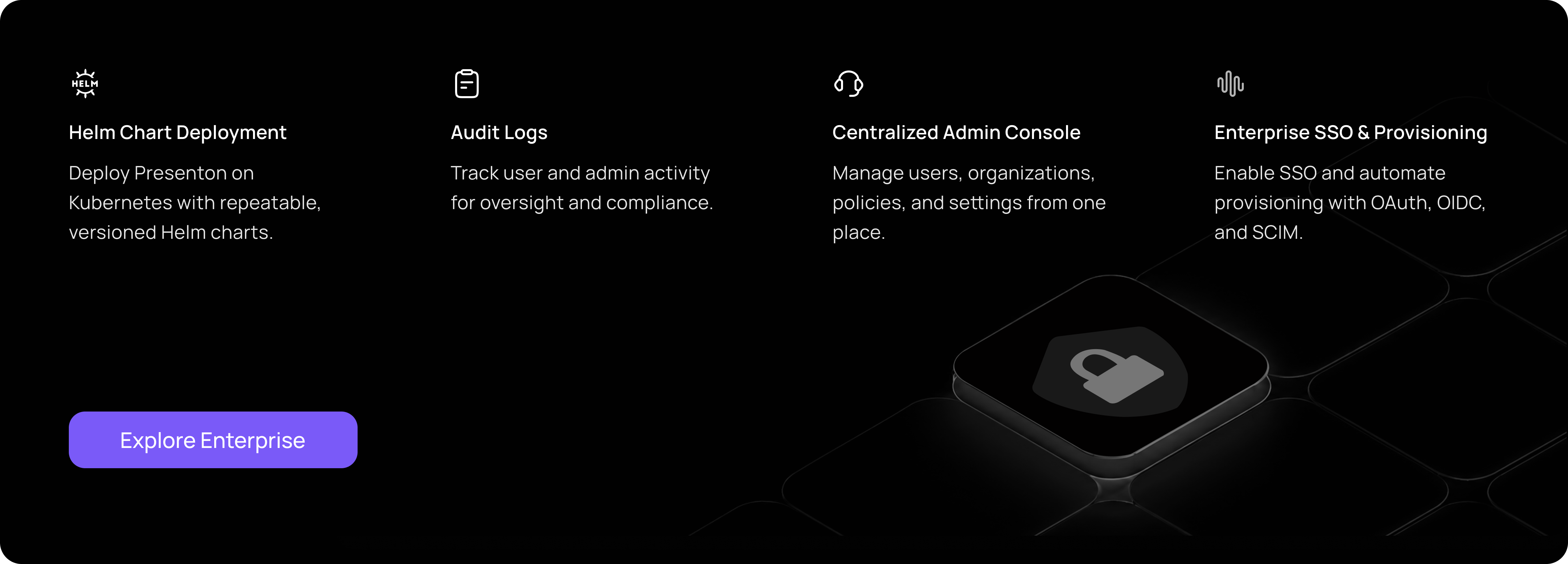
Deploy and manage Presenton across your organization with versioned Helm charts for Kubernetes, detailed audit logs, and a centralized admin console. Enterprise authentication supports SSO and automated user provisioning through OAuth, OIDC, and SCIM.
You can run Presenton in two ways: Docker for a one-command setup without installing a local dev stack, or the Electron desktop app for a native app experience (ideal for development or offline use).
Option 1: Electron (Desktop App)
Run Presenton as a native desktop application. LLM and image provider (API keys, etc.) can be configured in the app. The same environment variables used for Docker apply when running the bundled backend.
Prerequisites: Node.js (LTS), npm, Python 3.11, and
uv
(for the shared FastAPI backend in servers/fastapi).
Setup (First Time)
cd electron
npm run setup:env
This installs Node dependencies, runs uv sync in the FastAPI
server, and installs Next.js dependencies.
Run in Development
npm run devThis compiles TypeScript and starts Electron. The backend and UI run locally inside the desktop window.
Build Distributable (Optional) To create installers for Windows, macOS, or Linux:
npm run build:all
npm run dist
Output files are written to electron/dist
(or as configured in your electron-builder settings).
For a public macOS DMG outside the Mac App Store, use
APPLE_KEYCHAIN_PROFILE="presenton-notary" npm run build:all:mac:signed
from electron/ after the one-time Developer ID and notarization
setup in docs/macos/dev/direct-distribution.md.
Option 2: Docker
Start Presenton Linux/MacOS (Bash/Zsh Shell):
docker run -it --name presenton -p 5001:80 -v "./app_data:/app_data" ghcr.io/presenton/presenton:latestWindows (PowerShell):
docker run -it --name presenton -p 5001:80 -v "${PWD}\app_data:/app_data" ghcr.io/presenton/presenton:latestOpen Presenton
Open http://localhost:5001 in the browser of your choice to use Presenton.
Note: You can replace
5001with any other port number of your choice to run Presenton on a different port number. If you use Docker Compose, setPRESENTON_HTTP_HOST_PORT, for examplePRESENTON_HTTP_HOST_PORT=8080 docker compose up production.
The tables below match the environment variables forwarded in this repository’s docker-compose.yml (production, production-gpu, development, and development-gpu). Put values in a .env file next to the compose file, or export them before docker compose up. The Electron app backend can read the same names when run outside Docker.
Other optional variables exist in code (for example advanced Mem0 paths, LiteParse runners, or FAST_API_INTERNAL_URL when Next.js and FastAPI are not same-origin); they are not wired in docker-compose.yml. Supported names are discoverable from servers/fastapi/utils/get_env.py and the Next.js server utilities under servers/nextjs/.
The Community gallery is enabled by default and reads presentation designs from the Presenton community service. Air-gapped deployments must disable it:
PRESENTON_COMMUNITY_ENABLED=false
For Docker Compose, add the value to the .env file next to
docker-compose.yml before starting Presenton. For docker run, pass
-e PRESENTON_COMMUNITY_ENABLED=false. This removes Community from the UI and
prevents the backend from sending Community gallery or design-reference
requests.
| Variable | Values / default | Purpose |
|---|---|---|
| CAN_CHANGE_KEYS | true / false |
Set to false to keep API keys hidden and unmodifiable. |
| PRESENTON_PUBLIC_URL | Optional URL | Browser-reachable Presenton origin, such as http://localhost:5001 or https://slides.example.com. Generated download, edit, and preview links use this origin. |
| PRESENTATION_GENERATION_MODE | both (default), standard, smart |
Controls the modes available in the UI and MCP server. A single-mode value hides the selector; smart also hides template features. See the presentation generation modes guide. |
| PRESENTON_COMMUNITY_ENABLED | true (default), false |
Controls the cloud-backed Community gallery and design references. Set to false for air-gapped deployments to hide the feature and prevent community API requests. |
| LLM | openai, deepseek, google, vertex, azure, bedrock, openrouter, fireworks, together, cerebras, anthropic, litellm, lmstudio, ollama, custom, codex |
Selects the text LLM provider. |
| OPENAI_API_KEY | Required for LLM=openai |
OpenAI API key. |
| OPENAI_MODEL | gpt-4.1 (default) |
OpenAI model. |
| DEEPSEEK_API_KEY | Required for LLM=deepseek |
DeepSeek API key. |
| DEEPSEEK_MODEL | deepseek-chat (default) |
DeepSeek model. |
| DEEPSEEK_BASE_URL | https://api.deepseek.com (default) |
DeepSeek base URL. |
| GOOGLE_API_KEY | Required for LLM=google |
Google API key. |
| GOOGLE_MODEL | models/gemini-2.0-flash (default) |
Google model. |
| VERTEX_MODEL | gemini-2.5-flash (default) |
Vertex AI model. |
| VERTEX_API_KEY | Optional | Vertex Express API key authentication. |
| VERTEX_PROJECT / VERTEX_LOCATION | Optional pair | GCP project credential authentication; do not combine with VERTEX_API_KEY. |
| VERTEX_BASE_URL | Optional URL | Vertex gateway or base URL override. |
| AZURE_OPENAI_MODEL | Required for LLM=azure |
Azure deployment or model name. |
| AZURE_OPENAI_API_KEY | Required for LLM=azure |
Azure OpenAI API key. |
| AZURE_OPENAI_API_VERSION | Required; for example 2024-10-21 |
Azure OpenAI API version. |
| AZURE_OPENAI_ENDPOINT / AZURE_OPENAI_BASE_URL | At least one required | Azure OpenAI endpoint. |
| AZURE_OPENAI_DEPLOYMENT | Optional | Azure deployment override. |
| BEDROCK_REGION | us-east-1 (default) |
AWS Bedrock region. |
| BEDROCK_MODEL | Required for LLM=bedrock |
Standard model ID or full inference-profile ARN, passed to Bedrock Converse as modelId. See the Amazon Bedrock guide. |
| BEDROCK_API_KEY | Optional | Bedrock API-key authentication; alternative to AWS keys. |
| BEDROCK_AWS_ACCESS_KEY_ID / BEDROCK_AWS_SECRET_ACCESS_KEY | Required together when BEDROCK_API_KEY is unset |
AWS credential authentication for Bedrock. |
| BEDROCK_AWS_SESSION_TOKEN | Optional | AWS session token. |
| BEDROCK_PROFILE_NAME | Optional | AWS profile name. |
| OPENROUTER_API_KEY | Required for LLM=openrouter |
OpenRouter API key. |
| OPENROUTER_MODEL | openai/gpt-4o (default) |
OpenRouter model. |
| OPENROUTER_BASE_URL | https://openrouter.ai/api/v1 (default) |
OpenRouter base URL. |
| OPENROUTER_PROVIDER_ORDER | Optional comma-separated list | Provider routing order. |
| OPENROUTER_ALLOW_FALLBACKS | true / false |
Optional provider fallback override. |
| OPENROUTER_REQUIRE_PARAMETERS | true / false |
Only route to providers supporting every request parameter. |
| OPENROUTER_DATA_COLLECTION | allow / deny |
Optional data-collection policy. |
| OPENROUTER_ZDR | true / false |
Optional zero-data-retention requirement. |
| FIREWORKS_API_KEY | Required for LLM=fireworks |
Fireworks API key. |
| FIREWORKS_MODEL | For example accounts/fireworks/models/llama-v3p1-8b-instruct |
Fireworks model. |
| FIREWORKS_BASE_URL | https://api.fireworks.ai/inference/v1 (default) |
Fireworks base URL. |
| TOGETHER_API_KEY | Required for LLM=together |
Together AI API key. |
| TOGETHER_MODEL | For example openai/gpt-oss-20b |
Together AI model. |
| TOGETHER_BASE_URL | https://api.together.ai/v1 (default) |
Together AI base URL. |
| CEREBRAS_API_KEY | Required for LLM=cerebras |
Cerebras API key. |
| CEREBRAS_MODEL | llama-3.3-70b (default) |
Cerebras model. |
| CEREBRAS_BASE_URL | https://api.cerebras.ai/v1 (default) |
Cerebras base URL. |
| ANTHROPIC_API_KEY | Required for LLM=anthropic |
Anthropic API key. |
| ANTHROPIC_MODEL | claude-3-5-sonnet-20241022 (default) |
Anthropic model. |
| CODEX_MODEL | Required for LLM=codex |
Codex model. The OAuth flow maps host port 1455 for its callback. |
| CUSTOM_LLM_URL | Required for LLM=custom |
OpenAI-compatible base URL. The server must implement POST /v1/chat/completions; a provider-specific completion endpoint is insufficient. |
| CUSTOM_LLM_API_KEY | Provider-dependent | Custom-provider API key. |
| CUSTOM_MODEL | Required for LLM=custom |
Custom-provider model ID. |
| LITELLM_BASE_URL | Required for LLM=litellm |
LiteLLM proxy or gateway base URL. |
| LITELLM_API_KEY | Optional | LiteLLM API key. |
| LITELLM_MODEL | gpt-4.1 (default) |
LiteLLM model. |
| LMSTUDIO_BASE_URL | http://localhost:1234/v1 (default) |
LM Studio base URL; /v1 is appended when omitted. |
| LMSTUDIO_API_KEY | Optional | LM Studio API key. |
| LMSTUDIO_MODEL | For example openai/gpt-oss-20b |
LM Studio model. |
| DISABLE_THINKING | true / false |
Disables thinking for providers that support it, including DeepSeek. |
| WEB_GROUNDING | true / false |
Enables web search by default. |
| WEB_SEARCH_PROVIDER | auto, native, searxng, tavily, exa |
Selects the search mode. auto uses native search for OpenAI, Google, and Anthropic and otherwise leaves search off unless an external provider is selected. |
| WEB_SEARCH_MAX_RESULTS | 5 (default), maximum 10 |
Maximum external search results added to model context. |
| SEARXNG_BASE_URL | Optional URL | Self-hosted SearXNG base URL. |
| TAVILY_API_KEY, EXA_API_KEY | Optional | Credentials for hosted search providers. |
| EXTENDED_REASONING | true / false |
Enables extended reasoning where supported. |
| LLM_GENERATION_PROFILE | fast, balanced (default), deep, model_max |
Global generation profile. |
| LLM_MAX_OUTPUT_TOKENS | Optional positive integer | Output-token override for every text provider. |
| MAX_OUTLINE_WORDS | 100 (default), positive integer |
Maximum words in each generated, edited, or slides_markdown slide outline. |
| LLM_REASONING_MODE | auto, enabled, disabled |
Global reasoning-mode override. |
| LLM_REASONING_EFFORT | default, none, minimal, low, medium, high, xhigh, max |
Reasoning-effort override. |
| LLM_REASONING_BUDGET_TOKENS | Optional non-negative integer | Reasoning token budget. |
All advanced text-provider settings are optional. Use Reset advanced settings in Settings or onboarding to remove overrides and inherit application/provider defaults.
Use when LLM is ollama:
| Variable | Values / default | Purpose |
|---|---|---|
| OLLAMA_URL | For example http://host.docker.internal:11434 from Docker |
Ollama HTTP API base URL. |
| OLLAMA_MODEL | For example llama3.2:3b |
Ollama model name. |
| START_OLLAMA | false (default), true |
Allows the container entrypoint (start.js) to install Ollama and run ollama serve. |
Mem0 uses local Qdrant + SQLite (OSS); memory is scoped per presentation.
By default the Docker runtime now points Mem0 at a local Ollama-compatible LLM endpoint, so it no longer needs an OpenAI key just to initialize. If you want to use OpenAI instead, set MEM0_LLM_BASE_URL/MEM0_LLM_API_KEY to your OpenAI-compatible endpoint and key.
Docker images install the default spaCy model (en_core_web_sm) during build so Mem0 can start without extra setup on each run.
| Variable | Purpose |
|---|---|
| MEM0_ENABLED | true/false (compose default true). |
| MEM0_LLM_MODEL | Mem0 LLM model name (compose default llama3.1:latest or OLLAMA_MODEL). |
| MEM0_LLM_API_KEY | Mem0 LLM API key placeholder for OpenAI-compatible clients (compose default ollama). |
| MEM0_LLM_BASE_URL | Mem0 LLM base URL (compose default OLLAMA_URL or http://host.docker.internal:11434). |
| MEM0_DIR | Root directory (compose default /app_data/mem0). |
| MEM0_EMBEDDER_PROVIDER | Embedder backend (compose default fastembed). |
| MEM0_EMBEDDER_MODEL | Model id (compose default BAAI/bge-small-en-v1.5). |
| MEM0_EMBEDDING_DIMS | Vector size (compose default 384). |
| MEM0_SPACY_MODEL | Optional spaCy model override (default en_core_web_sm). |
| MEM0_REQUIRE_SPACY_MODEL | Keep as true (default). Set to false only if you intentionally want Mem0 to run without spaCy lemmatization. |
| Variable | Purpose |
|---|---|
| LITEPARSE_DPI | OCR render DPI (compose default 120). |
| LITEPARSE_NUM_WORKERS | Worker count (compose default 1). |
| Variable | Values / default | Purpose |
|---|---|---|
| DATABASE_URL | Optional SQLAlchemy URL | Configures the database; when unset, the app uses SQLite under app data. |
| MIGRATE_DATABASE_ON_STARTUP | true (default), false |
Runs database migrations during startup. Set to false only when migrations are managed externally. |
These variables match docker-compose.yml. IMAGE_PROVIDER selects the backend (pexels, pixabay, gemini_flash, nanobanana_pro, gpt-image-2, gpt-image-1.5, comfyui, open_webui). Use OPENAI_API_KEY for OpenAI image modes and GOOGLE_API_KEY for Gemini image modes (same keys as the LLM section).
| Variable | Values / default | Purpose |
|---|---|---|
| DISABLE_IMAGE_GENERATION | true / false |
Disables slide image generation. |
| ENABLE_PARALLEL_IMAGE_GENERATION | true (default), false |
Allows concurrent image-provider requests. Set to false for providers with strict rate limits. |
| IMAGE_PROVIDER | pexels, pixabay, gemini_flash, nanobanana_pro, gpt-image-2, gpt-image-1.5, comfyui, open_webui, openai_compatible |
Selects the image backend. |
| PEXELS_API_KEY | Required for IMAGE_PROVIDER=pexels |
Pexels stock-image API key. |
| PIXABAY_API_KEY | Required for IMAGE_PROVIDER=pixabay |
Pixabay stock-image API key. |
| GPT_IMAGE_2_QUALITY | low, medium (default), high |
GPT Image 2 image quality. |
| GPT_IMAGE_1_5_QUALITY | low, medium (default), high |
GPT Image 1.5 image quality. |
| COMFYUI_URL / COMFYUI_WORKFLOW | Required for IMAGE_PROVIDER=comfyui |
Self-hosted ComfyUI endpoint and workflow JSON. |
| OPEN_WEBUI_IMAGE_URL / OPEN_WEBUI_IMAGE_API_KEY | Required for IMAGE_PROVIDER=open_webui |
Open WebUI API root (http://host:8080/api/v1; a bare origin gets /api/v1 appended) and API key. |
| OPENAI_COMPAT_IMAGE_BASE_URL / OPENAI_COMPAT_IMAGE_API_KEY / OPENAI_COMPAT_IMAGE_MODEL | Required for IMAGE_PROVIDER=openai_compatible |
Sends image requests to an OpenAI-compatible /v1/images/* endpoint such as LiteLLM, Azure, or a vLLM gateway. |
Existing IMAGE_PROVIDER=dall-e-3 configurations automatically migrate to gpt-image-2. Legacy standard quality maps to medium, and hd maps to high. Set GPT_IMAGE_2_QUALITY to choose a different quality.
The parallel image generation option applies everywhere images are generated: initial presentation generation, slide editing and regeneration, direct image requests, and assistant image tools.
| Variable | Values / default | Purpose |
|---|---|---|
| DISABLE_ANONYMOUS_TRACKING | true / false |
Set to true to disable anonymous telemetry. |
Presenton supports multiple accounts with a private workspace for each user. The first account becomes the primary administrator and can create, reset, or remove other accounts from Admin → Users.
Existing single-user installations are upgraded automatically: the current account becomes the primary administrator, while its presentations, templates, tasks, and other owned data stay attached to the same account.
On a new installation, open Presenton and follow the account setup screen. For an unattended Docker deployment, you can create the primary administrator on first boot with environment variables:
docker run -it --name presenton \
  -p 5001:80 \
  -e AUTH_USERNAME=admin \
  -e AUTH_PASSWORD=change-this-password \
  -v "./app_data:/app_data" \
  ghcr.io/presenton/presenton:latest
Usernames must contain at least 3 characters, and new passwords must contain at least 8 characters. Older six- or seven-character passwords remain valid after an upgrade.
| Variable | Purpose |
|---|---|
| AUTH_USERNAME | Username used to create the primary administrator on first boot. It can also change the username during a rotation or recovery. |
| AUTH_PASSWORD | Password used for first-time setup, rotation, or recovery. Required when using either flag below. |
| AUTH_OVERRIDE_FROM_ENV=[true/false] | Replace the primary administrator's credentials from the environment on the next startup. Use this for a deployment-managed credential rotation. |
| RESET_AUTH=[true/false] | Recover access to the existing primary administrator without replacing the account or its data. |
Presenton Cloud is an optional, installation-wide generation provider. It is not an authentication method for the self-hosted instance. Create or sign in to the local administrator account first, then connect Presenton from provider onboarding.
Only the local administrator can connect, replace, or disconnect the provider. The browser displays a short device code and opens the hosted Presenton approval page. After approval, the delegated access and rotating refresh tokens are encrypted at rest and stored as one global provider credential; they are never returned to the browser or stored per local user.
Selecting Presenton as the text provider saves LLM=presenton. Presentation generation
and document uploads then use the Presenton Cloud API and its token. Connecting the
provider alone does not change generation: when another provider is selected, the
existing local generation pipeline remains unchanged. Disconnecting revokes and removes
the global credentials and deselects Presenton.
No OAuth client registration, client secret, or environment configuration is required. Official builds contain the cloud URL and first-party public device-flow client ID.
To rotate credentials from the environment:
docker stop presenton
docker rm presenton
docker run -it --name presenton \
  -p 5001:80 \
  -e AUTH_USERNAME=admin \
  -e AUTH_PASSWORD=new-secure-password \
  -e AUTH_OVERRIDE_FROM_ENV=true \
  -v "./app_data:/app_data" \
  ghcr.io/presenton/presenton:latest
For account recovery, use the same command with RESET_AUTH=true instead of
AUTH_OVERRIDE_FROM_ENV=true. Both operations preserve the administrator's user ID
and owned data, and invalidate existing browser sessions and API keys. Remove the
one-time flag after the successful startup.
Important
Do not remove authentication fields from
app_data/userConfig.jsonto reset access. Presenton stores a hashed recovery copy of the primary administrator credentials and the session-signing secret there. Use the recovery variables above to preserve the database account and its ownership links.
To sign out, open Settings → Other → Sign out.
Presenton exposes a client-neutral MCP 2025-11-25 Streamable HTTP endpoint at
/mcp. When authentication is enabled, REST API and MCP clients use the same
administrator-provisioned, user-scoped API key. Browser JWT cookies are not
accepted as MCP credentials.
An administrator creates the target Presenton user, then calls
POST /api/v1/admin/api-keys from an authenticated admin session with
{"user_id":"...","label":"My API client","expiry_days":90}. The response
contains the new key. Listing and revocation use
GET /api/v1/admin/api-keys and
POST /api/v1/admin/api-keys/{api_key_id}/revoke.
An administrator can securely reveal a key again with
GET /api/v1/admin/api-keys/{api_key_id}/token.
Configure any Streamable HTTP MCP client to send the generated
sk-presenton-... key on
every request:
{
  "servers": {
    "presenton": {
      "url": "http://localhost:5001/mcp",
      "type": "http",
      "headers": {
        "Authorization": "Bearer sk-presenton-0123456789abcdef.REPLACE_WITH_SECRET"
      }
    }
  },
  "inputs": []
}
Notes:
.vscode/mcp.json format. Use the equivalent
Streamable HTTP and bearer-header configuration in Open WebUI or any other
conforming MCP client.get_job_status until completed or error; template listing is immediate.start_smart_presentation followed
by get_job_status) so Standard and Smart generation use the same job model.upload_template_assets accepts one PPTX and its replacement fonts in a
single call, then returns the data needed by start_template_generation.upload_files accepts reference documents and images as base64 and returns
user-scoped paths that can be passed unchanged to Standard or Smart generation.PRESENTON_ELECTRON=true). Its local HTTP servers are internal application services. Electron runs without account login by default and supplies a private credential generated at each launch to its own app and export requests; anonymous local clients cannot access those services. The MCP server remains disabled there./app_data; configuration, databases and logs are never web assets. Document preview readers accept .txt document files within the allowed asset/temp directories and reject export task JSON and private application files.Note: LLM and image variables above are forwarded from
docker-compose.ymlwhen set in.env.
Docker Run Examples by Provider
Same variables as compose; use -e instead of .env when running docker run directly.
Using OpenAI
docker run -it --name presenton -p 5001:80 -e LLM="openai" -e OPENAI_API_KEY="******" -e IMAGE_PROVIDER="gpt-image-2" -e CAN_CHANGE_KEYS="false" -v "./app_data:/app_data" ghcr.io/presenton/presenton:latestUsing Google
docker run -it --name presenton -p 5001:80 -e LLM="google" -e GOOGLE_API_KEY="******" -e IMAGE_PROVIDER="gemini_flash" -e CAN_CHANGE_KEYS="false" -v "./app_data:/app_data" ghcr.io/presenton/presenton:latestUsing Vertex AI (API key mode)
docker run -it --name presenton -p 5001:80 -e LLM="vertex" -e VERTEX_API_KEY="******" -e VERTEX_MODEL="gemini-2.5-flash" -e IMAGE_PROVIDER="gemini_flash" -e CAN_CHANGE_KEYS="false" -v "./app_data:/app_data" ghcr.io/presenton/presenton:latestUsing Azure OpenAI
docker run -it --name presenton -p 5001:80 -e LLM="azure" -e AZURE_OPENAI_API_KEY="******" -e AZURE_OPENAI_MODEL="gpt-4.1" -e AZURE_OPENAI_API_VERSION="2024-10-21" -e AZURE_OPENAI_ENDPOINT="https://YOUR-RESOURCE.openai.azure.com" -e IMAGE_PROVIDER="pexels" -e PEXELS_API_KEY="******" -e CAN_CHANGE_KEYS="false" -v "./app_data:/app_data" ghcr.io/presenton/presenton:latestUsing Amazon Bedrock (on-demand model ID) — see docs/amazon-bedrock.md for inference profiles, IAM, and troubleshooting.
docker run -it --name presenton -p 5001:80 -e LLM="bedrock" -e BEDROCK_REGION="us-east-1" -e BEDROCK_AWS_ACCESS_KEY_ID="******" -e BEDROCK_AWS_SECRET_ACCESS_KEY="******" -e BEDROCK_MODEL="us.anthropic.claude-3-5-haiku-20241022-v1:0" -e IMAGE_PROVIDER="pexels" -e PEXELS_API_KEY="******" -e CAN_CHANGE_KEYS="false" -v "./app_data:/app_data" ghcr.io/presenton/presenton:latestUsing Amazon Bedrock (inference profile ARN, e.g. Claude Sonnet 4.6)
docker run -it --name presenton -p 5001:80 -e LLM="bedrock" -e BEDROCK_REGION="us-east-1" -e BEDROCK_AWS_ACCESS_KEY_ID="******" -e BEDROCK_AWS_SECRET_ACCESS_KEY="******" -e BEDROCK_MODEL="arn:aws:bedrock:us-east-1:YOUR_ACCOUNT_ID:inference-profile/us.anthropic.claude-sonnet-4-6" -e IMAGE_PROVIDER="pexels" -e PEXELS_API_KEY="******" -e CAN_CHANGE_KEYS="false" -v "./app_data:/app_data" ghcr.io/presenton/presenton:latestUsing Fireworks
docker run -it --name presenton -p 5001:80 -e LLM="fireworks" -e FIREWORKS_API_KEY="******" -e FIREWORKS_MODEL="accounts/fireworks/models/llama-v3p1-8b-instruct" -e IMAGE_PROVIDER="pexels" -e PEXELS_API_KEY="******" -e CAN_CHANGE_KEYS="false" -v "./app_data:/app_data" ghcr.io/presenton/presenton:latestUsing Together AI
docker run -it --name presenton -p 5001:80 -e LLM="together" -e TOGETHER_API_KEY="******" -e TOGETHER_MODEL="openai/gpt-oss-20b" -e IMAGE_PROVIDER="pexels" -e PEXELS_API_KEY="******" -e CAN_CHANGE_KEYS="false" -v "./app_data:/app_data" ghcr.io/presenton/presenton:latestUsing Ollama
docker run -it --name presenton -p 5001:80 -e LLM="ollama" -e OLLAMA_MODEL="llama3.2:3b" -e IMAGE_PROVIDER="pexels" -e PEXELS_API_KEY="*******" -e CAN_CHANGE_KEYS="false" -v "./app_data:/app_data" ghcr.io/presenton/presenton:latestUsing Anthropic
docker run -it --name presenton -p 5001:80 -e LLM="anthropic" -e ANTHROPIC_API_KEY="******" -e IMAGE_PROVIDER="pexels" -e PEXELS_API_KEY="******" -e CAN_CHANGE_KEYS="false" -v "./app_data:/app_data" ghcr.io/presenton/presenton:latestUsing LM Studio (local)
docker run -it --name presenton -p 5001:80 -e LLM="lmstudio" -e LMSTUDIO_BASE_URL="http://host.docker.internal:1234" -e LMSTUDIO_MODEL="openai/gpt-oss-20b" -e IMAGE_PROVIDER="pexels" -e PEXELS_API_KEY="******" -e CAN_CHANGE_KEYS="false" -v "./app_data:/app_data" ghcr.io/presenton/presenton:latestUsing OpenAI Compatible LLM API
docker run -it -p 5001:80 -e CAN_CHANGE_KEYS="false" -e LLM="custom" -e CUSTOM_LLM_URL="http://*****" -e CUSTOM_LLM_API_KEY="*****" -e CUSTOM_MODEL="llama3.2:3b" -e IMAGE_PROVIDER="pexels" -e PEXELS_API_KEY="********" -v "./app_data:/app_data" ghcr.io/presenton/presenton:latestRunning Presenton with GPU Support
To use GPU acceleration with Ollama models, you need to install and configure the NVIDIA Container Toolkit. This allows Docker containers to access your NVIDIA GPU.
Once the NVIDIA Container Toolkit is installed and configured, you can run Presenton with GPU support by adding the --gpus=all flag:
docker run -it --name presenton --gpus=all -p 5001:80 -e LLM="ollama" -e OLLAMA_MODEL="llama3.2:3b" -e IMAGE_PROVIDER="pexels" -e PEXELS_API_KEY="*******" -e CAN_CHANGE_KEYS="false" -v "./app_data:/app_data" ghcr.io/presenton/presenton:latestUsing an OpenAI-Compatible Image Provider
This routes all slide image requests through your OpenAI-compatible gateway (LiteLLM, Azure, vLLM, etc.) while keeping the text LLM configuration independent:
docker run -it --name presenton -p 5001:80 -e IMAGE_PROVIDER="openai_compatible" -e OPENAI_COMPAT_IMAGE_BASE_URL="https://proxy.example.com/v1" -e OPENAI_COMPAT_IMAGE_API_KEY="******" -e OPENAI_COMPAT_IMAGE_MODEL="gpt-image-1" -v "./app_data:/app_data" ghcr.io/presenton/presenton:latestGenerate Presentation
Endpoint: /api/v1/ppt/presentation/generate
Method: POST
Content-Type: application/json
Authentication (API key):
All /api/v1/ routes except the public authentication endpoints require authentication. An administrator creates an access key under Admin → API keys. Send that sk-presenton-... key as Authorization: Bearer YOUR_KEY. API keys act as their owning user and cannot call browser-session-only administrator endpoints.
Request Body
| Parameter | Type | Required | Description |
|---|---|---|---|
content |
string | Yes | Main content used to generate the presentation. When using slides_markdown without an additional overall prompt, pass an empty string. |
slides_markdown |
string[] | null | No | Provide one Markdown string per slide instead of asking Presenton to generate the slide outlines. The array length determines the number of slides. |
instructions |
string | null | No | Additional generation instructions. |
tone |
string | No |
Text tone (default: "default").
Options: default, casual, professional,
funny, educational, sales_pitch
|
verbosity |
string | No |
Content density (default: "standard").
Options: concise, standard, text-heavy
|
web_search |
boolean | No | Enable web search grounding (default: false). |
n_slides |
integer | No | Number of slides to generate. When omitted, the count is auto-detected. When using slides_markdown, its array length is used and n_slides can be omitted. |
language |
string | No | Presentation language (default: "English"). |
template |
string | No | Template name (default: "general"). |
include_table_of_contents |
boolean | No | Include table of contents slide (default: false). |
include_title_slide |
boolean | No | Include title slide (default: true). |
files |
string[] | null | No |
Files to use in generation.
Upload first via /api/v1/ppt/files/upload.
|
export_as |
string | No |
Export format (default: "pptx").
Options: pptx, pdf
|
Response
{
  "presentation_id": "string",
  "path": "string",
  "edit_path": "string"
}
Example (curl + API key)
curl \
  -X POST http://localhost:5001/api/v1/ppt/presentation/generate \
  -H "Authorization: Bearer sk-presenton-YOUR_KEY" \
  -H "Content-Type: application/json" \
  -d '{
   "content": "Introduction to Machine Learning",
    "n_slides": 5,
    "language": "English",
    "template": "general",
    "export_as": "pptx"
  }'
Example: provide the content for every slide with slides_markdown
Each array item becomes one slide. Use ordinary Markdown headings, lists, emphasis,
and tables to describe the audience-facing content. The content field is
currently required by the API schema, so set it to an empty string when you do not
want to provide an additional overall prompt.
curl \
  -X POST http://localhost:5001/api/v1/ppt/presentation/generate \
  -H "Authorization: Bearer sk-presenton-YOUR_KEY" \
  -H "Content-Type: application/json" \
  -d '{
    "content": "",
    "slides_markdown": [
      "# Acme Q2 Review\n\nRevenue grew **18% year over year** while customer retention reached 94%.",
      "# What changed\n\n- Enterprise revenue increased 24%\n- Support response time fell to 42 minutes\n- Expansion revenue offset slower new-logo growth",
      "# Next quarter\n\n1. Launch the self-service onboarding flow\n2. Expand the enterprise pilot program\n3. Reduce infrastructure cost per account by 10%"
    ],
    "template": "general",
    "language": "English",
    "export_as": "pdf"
  }'
Example: provide numeric data for a chart or table layout
Markdown tables with numeric columns help Presenton select a compatible chart or
table layout. You can use instructions for presentation-level visual
direction without adding those directions to the visible slide text.
curl \
  -X POST http://localhost:5001/api/v1/ppt/presentation/generate \
  -H "Authorization: Bearer sk-presenton-YOUR_KEY" \
  -H "Content-Type: application/json" \
  -d '{
    "content": "",
    "slides_markdown": [
      "# Regional revenue\n\n| Region | Q1 | Q2 |\n| --- | ---: | ---: |\n| North America | 2.4 | 2.9 |\n| Europe | 1.7 | 2.1 |\n| Asia Pacific | 1.1 | 1.6 |",
      "# Key takeaway\n\nAsia Pacific grew fastest at **45%**, while North America remained the largest market."
    ],
    "instructions": "Use a bar chart for slide 1 and an emphasis layout for slide 2.",
    "template": "general",
    "export_as": "pptx"
}'Howslides_markdownworks: It skips AI outline generation, but it is not a deterministic Markdown-to-slide renderer. Presenton still uses the configured text LLM to select suitable layouts and map each Markdown item into the template's structured fields, so text may be rephrased to fit. Provide at most 50 array items. Each item is limited to 100 words by default; longer items are truncated. Self-hosted deployments can change the per-slide limit withMAX_OUTLINE_WORDS.
Example Response
{
  "presentation_id": "d3000f96-096c-4768-b67b-e99aed029b57",
  "path": "/app_data/d3000f96-096c-4768-b67b-e99aed029b57/Introduction_to_Machine_Learning.pptx",
  "edit_path": "/presentation?id=d3000f96-096c-4768-b67b-e99aed029b57"
}
Note: Prepend your server’s root URL topathandedit_pathto construct valid links.
Documentation & Tutorials
Track the public roadmap on GitHub Projects: https://github.com/orgs/presenton/projects/2
