
A demo application and tasks to demonstrate the power of the Windsurf Editor.
This entire application was written from scratch by Cascade in the Windsurf Editor, and you will be able to add some more!
git clone <repository-url>
cd windsurf-demo
pip3 install -r requirements.txt
python3 app.py
http://localhost:5000
Start a new Cascade, and copy in "Create random variability in how much value food cells add to the player, and make the sizes reflect the value." Cascade should run like the following, after which you can look at the diffs and accept all changes. Click to start video:
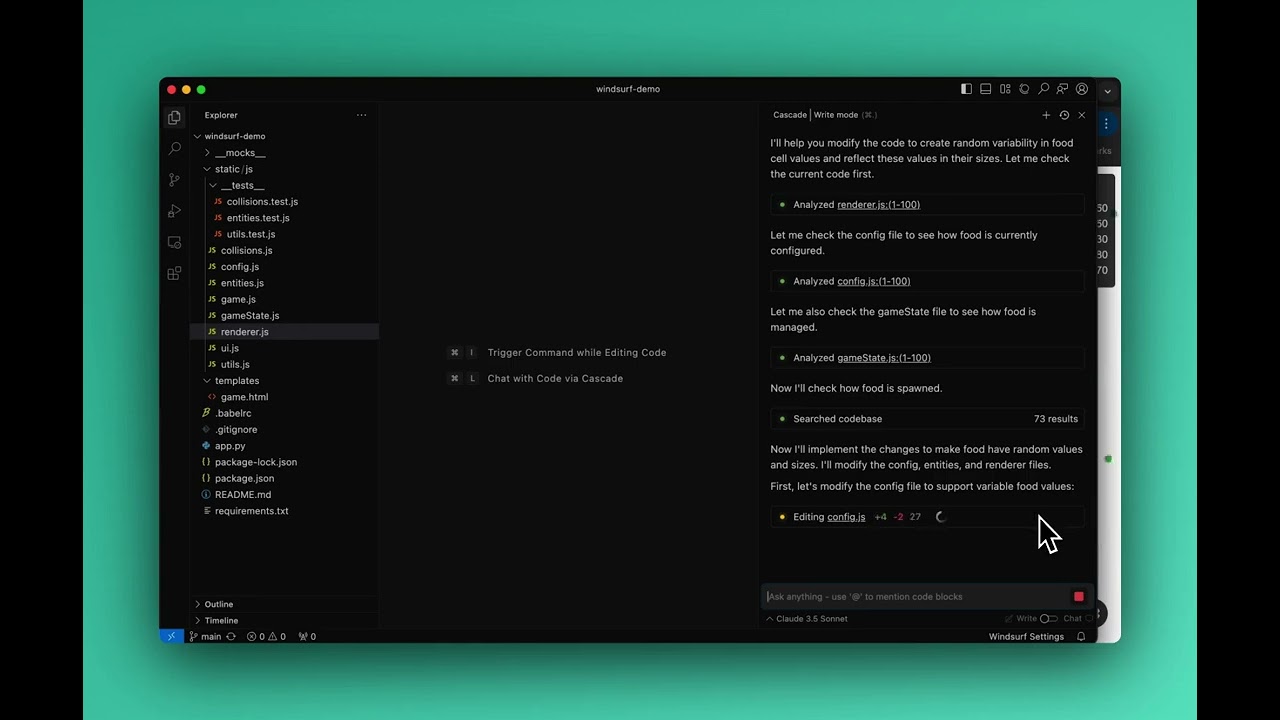
This demonstrates Cascade's abilities to:
Right now, there is no decay mechanism to the score, so the big players will always stay big even if they don't move or try to continue to grow. So, let us add a decay mechanism. Start a new Cascade and just say "Hi" to start the Cascade. Now, go to static/js/config.js and add the following constants somewhere in the file. Click to start video:
// Score decay mechanics
export const BASE_DECAY_RATE = 0.02;   // Base rate of score decay per second
export const DECAY_SCALE_FACTOR = 0.2; // How much size affects decay rate
Now, go to back to the Cascade and just type "Continue." Cascade should run somewhat like the follwing:
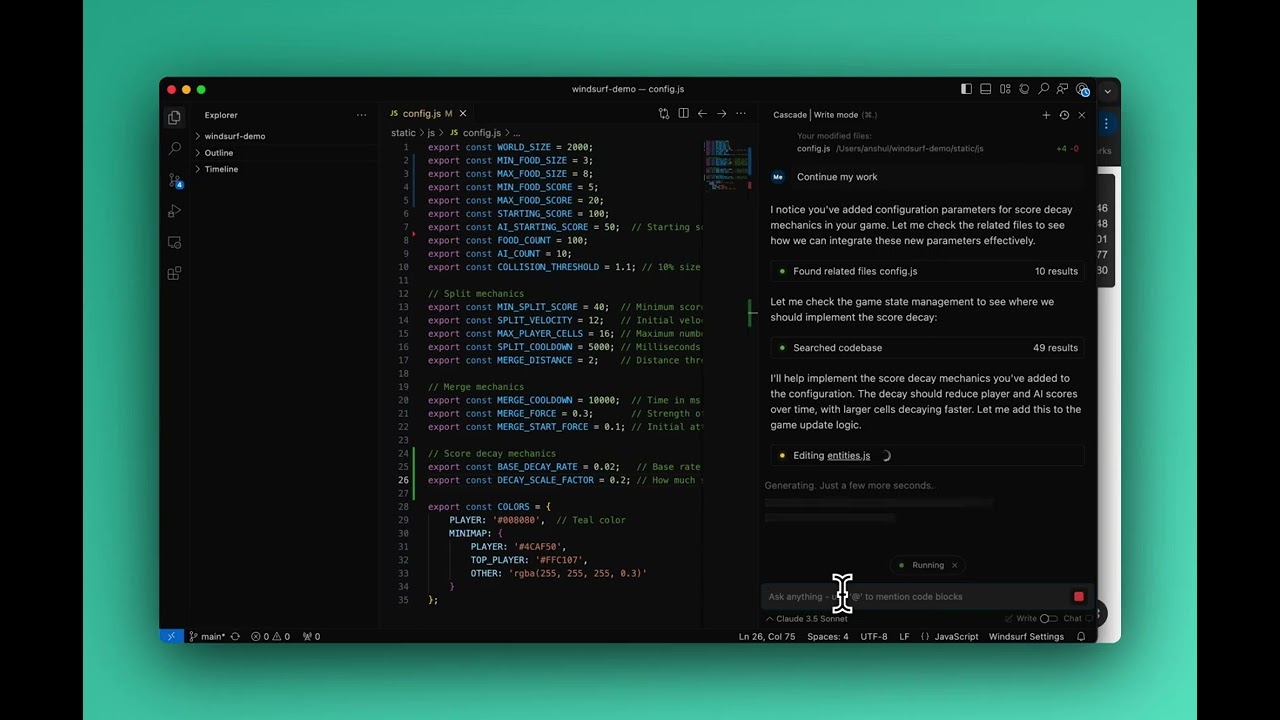
This demonstrates Cascade's abilities to:
Open up Cascade (Command + L), and type "Run all tests in static/js" You may need to prompt Cascade with more information about the repository, but generally you should see the following happen. Click to start video:

This demonstrates Cascade's abilities to:
These should demonstrate the power of the Windsurf Editor to jointly reason deeply about your codebases, access a broad set of tools, and incorporate your own actions as a developer.
Cascade will not always be perfect, and often you may find yourself asking Cascade follow ups to fix unexpected side effects, or just taking over entirely and ignoring the AI for more complex tasks. That is totally okay! Cascade is the most powerful AI assistant that you can still trust and iterate with.
Check out our Docs for even more examples and how to use features like Autocomplete, Supercomplete, Command, and more! There is AI integrated throughout the editor so that you get the optimal AI assistance where you want it, when you want it.
